


Published on November 12, 2026
Audio Visual Room Meaning: Definition, Uses and Equipment
Quick Answer
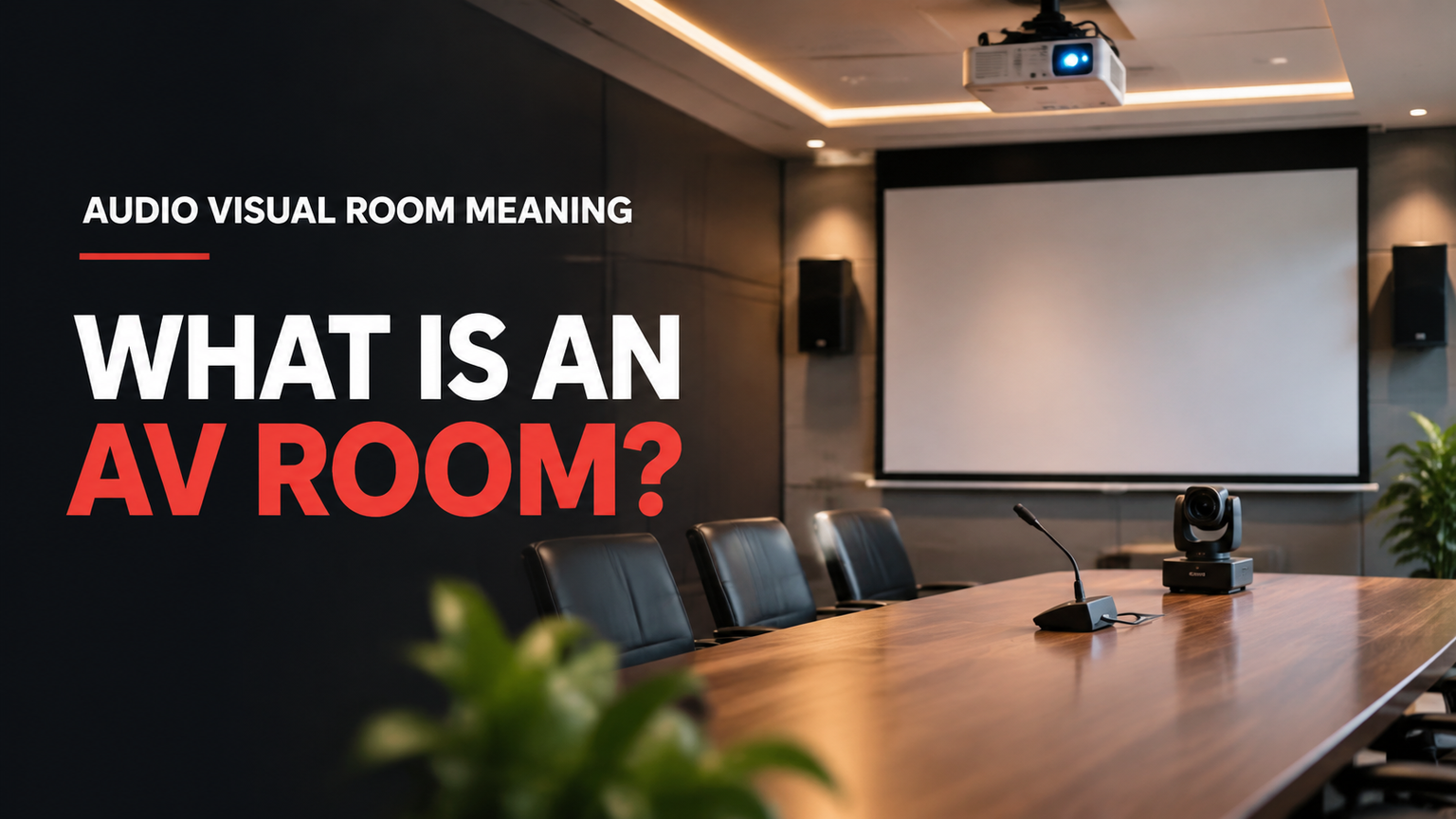
When people ask about audio visual room meaning, they usually mean a space equipped with sound and visual technology to help people communicate, present information, collaborate, learn, or watch audiovisual material. Often called an AV room, it may be a corporate meeting room, classroom, training space, auditorium, or specialist viewing room. Its equipment depends on its intended purpose.
Key Takeaways
- AV stands for audio visual: technology involving sound and images.
- An AV room supports activities such as meetings, presentations, training, teaching, and remote communication.
- Common equipment includes displays, projectors, microphones, speakers, computers, and cameras.
- Not every AV room needs the same equipment or video-conferencing capabilities.
- Room acoustics, lighting, visibility, and layout affect how effectively people use the technology.
- Some facilities use the term for specialist audiovisual viewing rooms rather than conventional meeting spaces.
- Before booking an AV room, confirm exactly which equipment, connections, and technical assistance are included.
What Makes a Room an Audio Visual Room?
An audio visual room is a space where technology combines sound and visual information to support a particular activity. The term describes the room's function rather than a fixed architectural design or mandatory equipment package.
For example, a company might use an AV room for presentations, team meetings, video conferences, or employee training. A school might use one for classroom instruction, multimedia lessons, or group projects. An event venue might describe a presentation space with projection, microphones, and speakers as an audiovisual room.
The defining characteristic is that the room has technology intended to make communication or viewing more effective than it would be in an ordinary, unequipped space.
According to Yealink's explanation of audio-visual rooms, modern workplace AV spaces can combine displays, cameras, microphones, speakers, computers, content-sharing equipment, and control systems.
However, this is an example of a possible workplace configuration, not a universal specification. A small training room may need only a projector, computer, and speakers. A large auditorium may require a much more extensive sound and presentation system.
What Does AV Stand For?
AV stands for audio visual.
- Audio refers to sound, including speech, music, announcements, and recorded material.
- Visual refers to images, presentations, videos, graphics, and other content people can see.
Audiovisual technology brings these two elements together. Depending on the application, it can help a presenter communicate with an audience, allow remote participants to join a meeting, or enable students to learn through multimedia content.
You may also encounter the terms audiovisual room, AV-enabled room, AV-equipped meeting room, and multimedia room. They are closely related, although their exact meanings depend on how an organization or facility uses them.
What Are Audio Visual Rooms Used For?
An audiovisual room can serve several purposes. The intended activity determines its layout, equipment, and operating requirements.
1. Corporate meetings and remote collaboration
Businesses use AV-enabled meeting rooms to bring employees, clients, and partners together.
A typical example is a boardroom with a large display, microphones, speakers, and a conferencing camera. Participants in the room can discuss information while remote colleagues join through a video-conferencing platform.
Other possible activities include:
- Business presentations.
- Department meetings.
- Client demonstrations.
- Management discussions.
- Hybrid meetings involving remote participants.
A hybrid meeting combines in-person and remote participation. Its success depends on more than simply having a camera: remote participants must also be able to hear the discussion and see the people or content they need to follow.
2. Classroom teaching and training
Schools, colleges, universities, and corporate training departments use audiovisual rooms to support instruction.
A training room might contain a projector or large display, an instructor's computer, speakers, and presentation connections. Teachers can show slides, educational videos, demonstrations, and other learning materials.
Some educational spaces include additional technology for collaborative activities, such as multiple displays, student computers, or document cameras.
James Cook University's AV classification illustrates this variety through its classifications of boardrooms, collaborative spaces, computer rooms, theatres, meeting rooms, seminar rooms, and teaching rooms.
The important point is that an educational AV room is designed around the learning activity, not simply around the number of devices installed.
3. Presentations, seminars, and conferences
An auditorium or presentation room may use audiovisual technology to communicate with a large audience.
Its equipment can include:
- A public-address (PA) system for distributing sound.
- Microphones for presenters and audience questions.
- Projectors or large LED displays.
- Speakers positioned to cover the audience area.
- Computers and presentation equipment.
- Cameras when recording or remote broadcasting is required.
These facilities are especially useful for conferences, seminars, corporate presentations, educational events, and public information sessions.
A venue advertising an AV-equipped presentation room does not necessarily include every item on this list. Organizers should confirm the actual equipment and operating support before making a booking.
4. Collaborative learning and group work
Some AV rooms are designed for participants to work together rather than listen to one presenter.
For example, a collaborative learning room might contain several displays, shared computers, presentation connections, and flexible seating arrangements. Participants can work on different tasks, compare information, and present their findings to the group.
This type of environment is particularly useful for workshops, team exercises, project discussions, and interactive learning.
5. Specialist audiovisual viewing
The expression can also have a more specific meaning in healthcare and other institutional settings.
The International Health Facility Guidelines' Audio-visual Room specification describes a quiet space for viewing audiovisual material. Its particular specification emphasizes sound attenuation and acoustic privacy and lists equipment such as a large-screen television and computer.
This is an important distinction: the term does not always refer to a conference room or video-conferencing facility.
The healthcare specification describes one particular facility classification. Its occupancy, area, and acoustic details should not be treated as general requirements for offices, schools, hotels, or event venues.
What Equipment Does an AV Room Usually Have?
There is no universal equipment list for an audiovisual room. Some spaces require only basic presentation technology, while others need equipment for two-way communication, audience sound, or specialist viewing.
The following table explains common equipment categories and what they do.
| Equipment | Main function | Where it may be used |
|---|---|---|
| Display or television | Shows presentations, images, and videos | Meeting rooms, classrooms, viewing rooms |
| Projector | Displays content on a larger screen or surface | Training rooms, classrooms, auditoriums |
| Microphone | Captures speech and other sound | Conference rooms, seminars, presentations |
| Speakers | Reproduce speech, music, and playback audio | Most presentation and multimedia spaces |
| Camera | Captures participants for remote communication or recording | Hybrid meeting rooms and selected event spaces |
| Computer | Provides presentations and other digital content | Offices, classrooms, training rooms |
| Presentation connections | Allow users to connect laptops and other content sources | Meeting rooms and instructional spaces |
| Control interface | Helps users operate available AV equipment | More integrated AV-enabled spaces |
Displays and projectors
Displays and projectors allow participants to view information together. A display may be sufficient for a small meeting, whereas a projector may be more appropriate for a larger instructional or presentation space.
The right option depends on the room, viewing distance, content, and number of participants.
Microphones and speakers
Microphones capture a person's voice, while speakers reproduce sound for the audience.
A small room may work with simple built-in audio. Larger rooms may need additional microphones and carefully positioned speakers so that participants can hear the presenter clearly.
Cameras and video-conferencing equipment
Cameras allow remote participants to see people in the room. When video conferencing is part of the room's purpose, microphones and speakers must also support clear two-way communication.
However, a room can be audiovisual without having a camera or video-conferencing system. A classroom used for projected lessons is one example.
Computers and presentation connections
Computers provide the content displayed during meetings, lessons, and presentations. Presentation connections allow users to share material from laptops or other compatible devices.
Before using a room, check which connection methods are supported and whether users need to bring their own adapters or equipment.
Control interfaces
A control interface gives users a way to operate equipment, such as switching displays, adjusting volume, selecting content sources, or starting a presentation.
Some spaces have a simple remote control, while more integrated environments may have a touch-based control panel. The level of control technology should match the room's complexity and the people expected to use it.
What Does Audio Visual Room Mean in Different Settings?
The phrase can describe different types of spaces. The following comparison shows how its meaning changes according to the environment and intended activity.
| Setting | Typical meaning | Possible technology | Primary purpose |
|---|---|---|---|
| Corporate meeting room | AV-enabled meeting space | Display, microphones, speakers, camera, conferencing system | Meetings and remote collaboration |
| Training room | Technology-supported instructional space | Projector or display, computer, audio, presentation connections | Training and teaching |
| Auditorium | Large presentation or performance space | PA system, microphones, projection or LED display, cameras | Audience communication |
| Collaborative learning room | Flexible educational space | Multiple displays, computers, presentation interfaces | Group learning |
| Healthcare audiovisual viewing room | Quiet, acoustically private viewing space under a facility-specific specification | Television, computer, and related viewing equipment | Viewing audiovisual material |
These are illustrative examples, not a universal classification standard.
The comparison demonstrates why it is important to understand the room's intended use before assuming what equipment it contains.
For example, a company boardroom may be designed for interactive discussions and remote meetings. A teaching room may prioritize visibility of instructional content. A healthcare audiovisual viewing room may instead prioritize quiet viewing and acoustic privacy.
All three can use audiovisual technology, but they do not serve the same purpose.
What Is the Difference Between an AV Room and a Regular Meeting Room?
The main difference is the technology available to support communication and information sharing.
A regular meeting room can be a simple space with a table, chairs, and a whiteboard. Participants meet and communicate directly without necessarily using dedicated audiovisual equipment.
An AV-enabled meeting room has technology selected to support activities such as displaying presentations, sharing content, reproducing audio, or communicating with remote participants.
| Feature | Regular meeting room | AV-enabled meeting room |
|---|---|---|
| Furniture | Usually tables and chairs | Tables and chairs, often arranged around technology |
| Presentation equipment | May have a whiteboard or basic display | May include displays or projectors |
| Audio | Usually direct conversation | May include microphones and speakers |
| Remote participation | Not necessarily supported | May include conferencing equipment |
| Content sharing | Often informal or manual | May include dedicated presentation connections |
| User controls | Usually minimal | May include remote or touch-based controls |
These are general comparisons rather than fixed definitions. A regular meeting room can have a display, and an AV-enabled meeting room does not necessarily need a camera or microphone.
The distinction is whether the available technology is suitable for the activities people intend to perform.
For a deeper explanation of the equipment and planning considerations associated with modern conference spaces, see the related conference room audio visual systems guide.
Why Room Design Matters as Much as Equipment
Having audiovisual equipment does not automatically make a room effective. People must be able to see the content, hear the speaker, and use the technology without unnecessary difficulty.
Several physical conditions influence the result.
Sightlines and screen visibility
Sightlines describe what people can see from their seating positions.
A display that is too small, poorly positioned, or obstructed by furniture may make presentations difficult to follow. Participants at the back of a large room should be able to view important information without straining.
Screen placement, viewing distance, seating arrangement, and the type of content all matter.
Acoustics and speech clarity
Acoustics concern how sound behaves inside a room.
Hard surfaces can reflect sound, producing echoes and making speech difficult to understand. Background noise from ventilation, equipment, corridors, or neighboring rooms can also interfere with communication.
A room used for presentations or video conferences needs suitable acoustic conditions for its intended activity. The goal is not simply to make a room loud. It is to make speech and other important audio understandable.
Lighting and visibility
Lighting affects both the visibility of displayed content and the comfort of participants.
For example, excessive light falling directly on a display can make presentations harder to see. Insufficient lighting may make note-taking and face-to-face communication uncomfortable.
A useful AV environment balances screen visibility with adequate illumination for the people using the room.
Layout and participant interaction
The physical arrangement should support the activity.
A boardroom layout may encourage discussion among participants. A classroom arrangement may direct attention toward an instructor and presentation screen. An auditorium typically prioritizes visibility and sound coverage for a larger audience.
Room design should therefore follow the communication objective rather than treating every AV room as interchangeable.
Usability and accessibility
The equipment should be practical for the people expected to use it.
Consider whether participants can reach controls, connect their devices, read displayed content, and hear important information. Where applicable, accessibility requirements and the needs of participants with disabilities should be included in room planning.
AVIXA's conference room design guidance discusses the relationship between room layout, acoustics, lighting, sightlines, and collaboration.
AVIXA also publishes professional standards addressing specific performance and documentation topics. For example, its published standards include guidance concerning sound-system coverage and audiovisual system performance verification. These are specialist technical references, not universal legal requirements for every audiovisual room.
See AVIXA's published standards for the relevant scope of individual standards.
Permanent AV Rooms vs Temporary Event AV
Another important distinction is whether audiovisual technology is permanently installed or brought into a space for a particular event.
Permanent audiovisual rooms
A permanent AV room has equipment installed for regular use.
Examples include:
- Corporate conference rooms.
- University teaching spaces.
- Training facilities.
- Auditoriums.
- Control rooms.
The technology is intended to remain available for recurring activities. Its configuration should suit the room's normal users and communication requirements.
Temporary event audiovisual setups
Temporary event AV refers to equipment deployed for a limited period to support a specific event.
Examples include conferences, exhibitions, product launches, seminars, and corporate presentations.
A venue may already advertise an AV-equipped room but still require additional equipment or technical support for a particular event. The event may need extra microphones, larger displays, additional speakers, cameras, or specialist operators.
This is why the words AV equipped should never be treated as confirmation that every event requirement is included in the venue booking.
The distinction between permanent integration and temporary event technology is explored further in AV Labor Source's audiovisual integration guide.
For event-specific technology and technical responsibilities, see its live event AV planning guide.
An event organizer should confirm what is installed, what is available for the booking, and what additional support must be arranged.
How to Check Whether an AV Room Meets Your Needs
If you are considering using or booking an audiovisual room, start with the activity you need to perform. Do not assume that the room's name tells you everything about its capabilities.
Use this practical checklist before confirming a booking.
1. Identify the intended activity
Ask what the room is designed to support. Is it intended for business meetings, classroom instruction, presentations, group work, remote communication, or audiovisual viewing?
The answer helps establish which equipment is actually necessary.
2. Confirm the display and viewing arrangements
Find out whether the room has a television, display, projector, or another presentation system.
Check whether everyone attending can see the content from their seating position. If you plan to show detailed spreadsheets, diagrams, or text, visibility becomes particularly important.
3. Check the audio facilities
Ask whether microphones and speakers are provided when required.
For a presentation, confirm that the presenter can be heard throughout the room. For a hybrid meeting, check whether remote participants can hear the people speaking in the room.
4. Confirm cameras and remote participation
If remote attendance is required, establish whether a camera and suitable conferencing facilities are available.
Do not assume that an AV room automatically supports video conferencing. Ask which conferencing arrangements are included and whether you must provide your own account, computer, or other equipment.
5. Ask about content-sharing connections
Check how presenters can connect their laptops or other devices.
Ask whether the room supports the connection method you intend to use and whether adapters, cables, or presentation computers are supplied.
6. Consider the room environment
Check whether the lighting, acoustics, seating, and layout are appropriate for your activity.
A room may have a large screen but still be unsuitable if participants cannot see it clearly or background noise makes speech difficult to understand.
7. Establish equipment responsibilities
Ask who supplies, operates, and manages the technology.
Some facilities expect users to operate the equipment themselves. Others may provide technical assistance during setup or throughout an event.
8. Confirm technical assistance
If the activity is important or technically demanding, ask whether an AV technician is available.
Clarify whether assistance is included in the booking, whether it must be arranged separately, and when support will be available.
AV Room Identification Checklist
| Question | What you need to establish |
|---|---|
| What activities is the room intended to support? | The room's primary function |
| Is it designed for local presentations, remote communication, or both? | Whether the communication format is supported |
| What content must participants see? | Display and visibility requirements |
| Can everyone hear the presenter and playback audio? | Audio suitability |
| Are cameras and microphones actually provided? | Available communication equipment |
| Are content-sharing connections available? | Device compatibility and presentation arrangements |
| Does the room provide suitable acoustic conditions? | Speech clarity and background noise |
| Who supplies and operates the technology? | Equipment and operational responsibilities |
| Is technical assistance available during the booking? | Support arrangements |
This checklist helps determine whether a room is suitable for a particular activity. It is not a technical certification or a substitute for a formal inspection.
For corporate events that require additional technical personnel, equipment coordination, and production support, the corporate event AV production planning guide provides further context.
Frequently Asked Questions
What does AV stand for in a room?
AV stands for audio visual. It describes technology that combines sound and visual content, such as displays, projectors, microphones, speakers, and cameras, depending on the room's purpose.
Is an audio visual room the same as a conference room?
Not necessarily. A conference room is a space for meetings. An AV room is a space equipped or designated for audiovisual activities. A conference room can be an AV room when its technology supports presentations, sound, content sharing, or remote communication.
Can a classroom be an AV room?
Yes. A classroom with audiovisual technology such as a projector, display, computer, or speakers can function as an AV room. The equipment supports teaching, presentations, and multimedia learning.
What equipment is essential in an AV room?
There is no universal essential equipment list. A basic presentation space may need a display or projector and a content source. Other rooms may require microphones, speakers, cameras, conferencing systems, or control interfaces. The intended activity determines the requirements.
Does an AV room always have video conferencing?
No. Some AV rooms are designed for presentations, teaching, or viewing recorded material without supporting remote meetings. Video conferencing requires suitable additional equipment and arrangements.
Why are acoustics important in an audiovisual room?
Acoustics influence how clearly people hear speech and other audio. Echoes, background noise, and poor sound distribution can make presentations and discussions difficult to follow, even when the room has suitable microphones and speakers.
What is the difference between permanent AV installation and temporary event AV?
Permanent AV installation involves equipment intended to remain in a room for regular use. Temporary event AV involves equipment and technical support brought into a space for a specific event or limited period.
Does an AV-equipped venue include an AV technician?
Not necessarily. Some venues provide technical assistance, while others expect organizers to operate the equipment or arrange external support. Always confirm the staffing arrangements before booking.
Understanding the Meaning of an Audio Visual Room
The meaning of an audio visual room is straightforward: it is a space where sound and visual technology supports a particular activity. What makes the term interesting is that the actual room can vary considerably between workplaces, educational facilities, auditoriums, event venues, and specialist viewing environments.
The most useful way to evaluate an AV room is to look beyond its name. Consider what people need to do inside it, what technology is available, whether the room's physical conditions support clear communication, and who is responsible for operating the equipment.
For businesses and event organizers, this distinction matters. An advertised AV room may provide an excellent starting point, but its actual suitability depends on the equipment, room environment, and technical support available for the intended activity.
Understanding those details makes it easier to choose the right space and avoid discovering missing equipment or support only when a meeting, lesson, or event is about to begin.