


Published on November 18, 2026
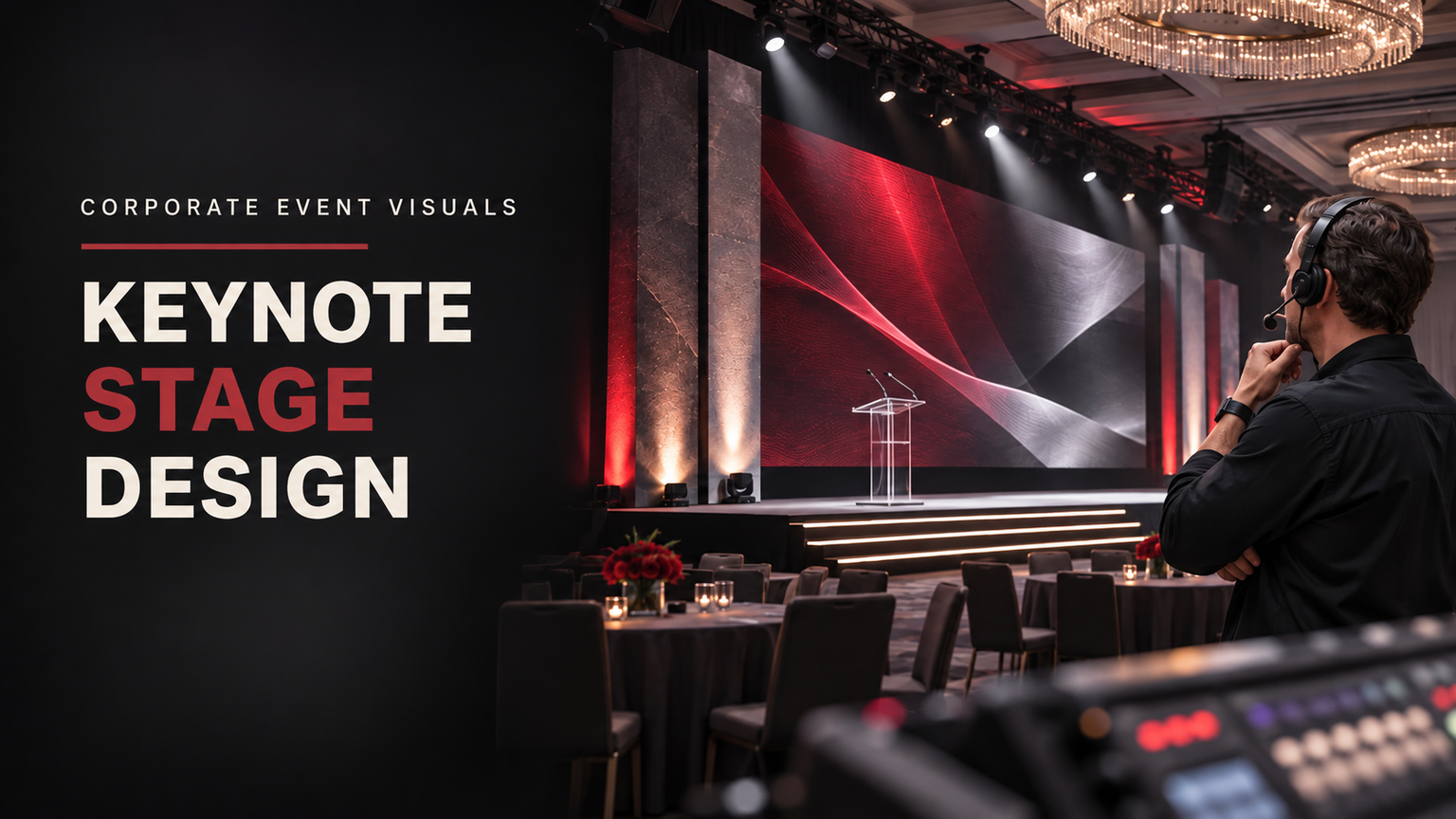
Keynote Stage Design Ideas: 6 Visual Concepts for Corporate Events
Quick Answer
The best keynote stage design ideas combine a clear visual focal point, consistent corporate branding, effective presentation displays and a comfortable environment for the speaker. Six strong approaches include minimalist branded stages, LED feature walls, layered scenic backdrops, symmetrical dual-screen arrangements, immersive panoramic environments and sustainable modular designs. Choose the concept that supports your event's message, audience, venue and production requirements rather than simply selecting the most elaborate design.
Key Takeaways
- A keynote stage should reinforce the presentation, not compete with the speaker.
- Minimalist designs work particularly well for executive presentations and message-focused events.
- LED feature walls and panoramic displays create opportunities for visually ambitious product launches.
- Layered scenic elements add physical depth and architectural character.
- Screen arrangements should account for actual audience viewing positions and presentation content.
- Camera framing, presenter movement and lighting should be considered during the creative design process.
- Reusable modular elements can help maintain visual consistency across recurring conferences.
What Makes a Keynote Stage Design Effective?
A keynote stage is more than a raised platform with a screen behind it. It is the visual environment in which an organization communicates its ideas, introduces products, presents achievements or shares its direction with an audience.
An effective design makes that communication easier. It establishes a recognizable visual identity, gives the presenter an appropriate focal point and creates a coherent relationship between the physical environment and the presentation content.
According to Cvent's event stage design guide, stage design involves several interconnected elements, including backdrops, lighting, furniture, audiovisual equipment, colors, textures and decorative features. The relationships between these elements influence the overall composition.
Four principles are particularly important when planning a keynote environment.
1. Visual hierarchy
Visual hierarchy determines what the audience notices first, second and third.
For most keynote presentations, the presenter and the central message should receive the greatest attention. The event logo, supporting graphics, architectural features and decorative elements should reinforce those priorities.
A stage can become visually confusing when several large displays, competing colors and decorative structures demand attention simultaneously.
A useful starting point is to identify one dominant visual feature. This might be a central LED display, a branded backdrop or a distinctive architectural structure. Other elements should support that feature rather than compete with it.
2. Consistent corporate branding
A professional keynote stage should feel connected to the organization hosting the event.
Use approved brand colors, typography, logos and graphic styles consistently across the backdrop, presentation slides, display content and other visible elements.
However, branding does not mean covering every available surface with a company logo. Strategic placement often creates a cleaner and more sophisticated result.
3. Presenter visibility and audience sightlines
The speaker must remain easy to see throughout the presentation.
A large decorative structure can become a problem if it obstructs the presenter, interferes with screen content or creates distracting visual elements behind the speaker.
Consider the audience's different viewing positions, including people sitting toward the sides and rear of the venue. The display and scenic composition should support the actual presentation experience rather than only looking attractive from a central camera position.
4. Visual depth and balance
Depth helps a stage feel like a deliberately designed environment rather than a flat presentation area.
Architectural panels, layered surfaces, carefully positioned displays and contrasting materials can create depth without making the composition unnecessarily complicated.
Lighting also contributes to the visual result. Front lighting helps make the presenter visible, while backlighting can separate the speaker from the background and create a sense of depth. ETC Connect's explanation of stage lighting angles provides additional technical context.
The creative objective is straightforward: create an environment that makes the presentation feel important while keeping the speaker and message clear.
Six Keynote Stage Design Ideas for Corporate Events
The following concepts offer different approaches to visual composition, branding and presentation technology. They are design directions rather than measured rankings or documented AV Labor Source projects.
1. Minimalist Branded Stage
A minimalist keynote stage uses a restrained visual environment with a clean background, carefully positioned branding and limited decorative elements.
This design direction is particularly suitable for executive presentations, leadership conferences, shareholder meetings and corporate announcements where the speaker's message should dominate.
Visual characteristics:
- A simple, uncluttered backdrop.
- One central presentation display or carefully positioned screen.
- Restrained use of corporate colors.
- Clear typography and minimal decorative graphics.
- Limited furniture and scenic elements.
The main advantage is clarity. Instead of asking the audience to process numerous visual elements, the design directs attention toward the presenter and presentation.
For example, imagine a corporate leadership keynote with a dark neutral background, a discreet company logo and a central screen displaying a single presentation title. The result can look sophisticated without requiring an elaborate scenic environment.
When it works best: Executive keynotes, leadership events, strategy presentations and professional conferences.
What to consider: Minimalist designs leave little room for distracting visual elements to hide design inconsistencies. Typography, screen content, spacing and brand placement should be carefully considered.
Main production dependency: Consistent presentation graphics and a well-coordinated display environment.
2. LED Feature-Wall Stage
An LED feature-wall stage uses a prominent digital display as the central visual element.
The display can show branded graphics, product imagery, motion backgrounds, presentation slides and visual transitions. It offers considerable flexibility when the event needs to move between different presentation themes.
This approach is particularly attractive for product launches, technology conferences, innovation events and corporate announcements.
Visual characteristics:
- A large LED display behind or around the presenter.
- Branded motion graphics and presentation backgrounds.
- Coordinated visual transitions between speakers.
- A relatively simple physical stage structure that allows the display to dominate.
- Supporting scenic elements that complement the screen.
Consider a hypothetical technology company introducing a new product. The opening presentation might feature an animated brand identity, followed by product imagery and supporting presentation content. The display becomes part of the storytelling environment rather than simply serving as a projection surface.
However, a large LED wall is not automatically the best choice. Display content must remain readable from the audience's actual positions, and the screen must support the type of information being presented.
AVIXA's Display Image Size for 2D Content guidance explains why display requirements should be evaluated according to viewing tasks and audience positions.
When it works best: Product launches, technology presentations, innovation conferences and visually driven announcements.
What to consider: Screen content, viewing requirements, camera exposure, display integration and the visual relationship between the speaker and the screen.
Main production dependency: Coordinated display planning, graphics preparation and technical operation.
3. Layered Scenic Backdrop
A layered scenic backdrop uses multiple physical elements to create architectural depth and a distinctive stage environment.
Instead of relying entirely on a flat screen, this concept combines different surfaces, shapes, textures and materials.
Possible elements include:
- Geometric wall panels.
- Raised decorative structures.
- Contrasting surface finishes.
- Brand-colored architectural features.
- Integrated display openings.
- Repeating shapes or patterns.
For example, a corporate conference could use several overlapping geometric panels in the organization's brand colors, with a central screen positioned between the scenic elements.
The arrangement creates a physical environment that feels more distinctive than a standard presentation backdrop. This concept is particularly useful when the organization wants a recognizable conference identity that can be seen in photographs and video recordings.
It also provides opportunities to combine physical materials with digital presentation content.
When it works best: Annual corporate conferences, association events, leadership summits and presentations seeking a more architectural appearance.
What to consider: Scenic elements must fit the venue, support the desired camera composition and remain visually balanced with the presentation displays.
Main production dependency: Scenic fabrication, venue coordination and integration with the presentation environment.
4. Symmetrical Dual-Screen Stage
A symmetrical dual-screen arrangement uses two displays positioned around a central presentation area.
The speaker typically occupies the middle of the composition, while the displays provide supporting information on either side. This approach can create a balanced visual structure and is useful when a presentation needs substantial screen space without allowing one display to dominate the entire background.
Visual characteristics:
- Two coordinated presentation displays.
- A central presenter position.
- Consistent graphics across both screens.
- Balanced scenic elements on either side.
- A clearly defined central focal point.
For example, a business conference might use the left display for presentation content and the right display for supporting product imagery or event branding.
The arrangement should be designed carefully. If both displays show unrelated information simultaneously, the audience may struggle to determine where to look. For a more restrained approach, the screens can display coordinated versions of the same visual theme, with the presenter remaining the central focus.
When it works best: Large corporate presentations, information-rich keynotes and conferences with multiple supporting visual elements.
What to consider: Display positioning, content consistency, camera framing and the relationship between the central presenter and surrounding screens.
Main production dependency: Coordinated display positioning and presentation graphics.
5. Immersive Panoramic Stage
An immersive panoramic stage uses broad, coordinated visual surfaces to create an expansive presentation environment.
Instead of treating the display as a single rectangular screen, the design incorporates multiple visual areas into one connected composition. The result can create a strong sense of scale and support visually ambitious presentations.
Possible design elements include:
- Wide LED display surfaces.
- Coordinated side displays.
- Panoramic presentation graphics.
- Continuous branded visual backgrounds.
- Integrated scenic structures.
- Consistent transitions across display areas.
Imagine a hypothetical corporate innovation conference where the keynote begins with a panoramic visual representing the company's industry. As the presentation progresses, the background changes to support different products, business areas or strategic themes.
The visual environment can make the presentation feel cohesive and distinctive. However, immersive designs require more coordination than a simple backdrop. Graphics need to work across the display surfaces, and the camera composition must account for both the speaker and the broader visual environment.
Display size and content should also be evaluated according to what the audience needs to see. AVIXA identifies viewing requirements as an important consideration in display planning; there is no single universal screen-size formula that works for every venue and presentation.
When it works best: Major announcements, large conferences, innovation presentations and events with ambitious visual storytelling.
What to consider: Content continuity, audience viewing positions, camera framing, presenter visibility and the complexity of operating multiple display surfaces.
Main production dependency: Integrated display, camera and graphics planning.
6. Sustainable Modular Stage
A sustainable modular stage uses adaptable scenic elements that can be rearranged and reused across different events.
Instead of creating an entirely new physical environment for every conference, the organizer works with a collection of compatible components.
These might include:
- Reusable scenic panels.
- Modular geometric structures.
- Interchangeable branded graphics.
- Adaptable furniture arrangements.
- Reconfigurable display surrounds.
- Reusable decorative elements.
For an organization that hosts an annual conference, a modular approach could maintain recognizable visual elements while changing the presentation content and selected scenic arrangements each year.
The benefit is flexibility. The same basic design language can support different speakers, presentation formats and venue configurations.
It may also reduce the need to create entirely new scenic elements for every event, although actual environmental and financial benefits depend on material selection, transportation, storage, maintenance and reuse rates.
When it works best: Recurring corporate conferences, annual association meetings, roadshows and organizations with multiple related events.
What to consider: Storage requirements, transport, component durability, adaptability and whether the modules can fit the venues being considered.
Main production dependency: Modular construction planning and coordination between scenic components and the technical presentation environment.
How to Choose the Right Keynote Stage Design for Your Event
The most elaborate design is not necessarily the most effective. The right concept is the one that communicates the event's message and works within its real production conditions.
Before approving a concept, evaluate the following considerations.
Start with the event's purpose
Different presentations require different visual environments.
An executive leadership presentation may benefit from a restrained background, while a major product announcement may call for a more visually ambitious display environment.
Ask what the audience should remember after the presentation. The answer should influence the visual direction.
Understand the audience and presentation format
Consider whether the event involves a single keynote speaker, multiple presenters, product demonstrations, interviews or a combination of formats.
A stage designed for one presenter may not work equally well for a discussion involving several speakers. The design should accommodate the actual presentation format rather than assuming that every keynote follows the same structure.
Match the concept to the venue
The venue influences what can realistically be delivered.
Consider available space, existing display infrastructure, seating configuration, access restrictions and the visual characteristics of the room.
A panoramic design might look impressive in a concept rendering but become impractical in a venue with limited display options or restricted scenic space.
Cvent's event stage design guidance similarly emphasizes the relationship between venue conditions, event objectives and design decisions.
Consider the presentation content
Different types of content create different display requirements.
A keynote built around detailed charts and text needs displays that allow the audience to read the information comfortably. A product launch relying on photography, video and motion graphics may benefit from a different visual treatment.
The important distinction is between creating an attractive screen and creating a screen that supports the presentation.
Plan for cameras and livestreaming
A stage that looks good to someone sitting in the center of the room may not automatically look good on camera.
Consider the camera's framing, the position of the presenter, the relationship between the speaker and background displays, and how graphics will appear in the recorded or streamed presentation.
Avoid placing important branding or presentation information where it may be obscured by the presenter or excluded from the camera frame.
Evaluate reuse and adaptability
If the event will happen regularly, consider whether selected scenic elements can be reused.
A modular design may provide a consistent visual identity across different editions while allowing presentation graphics and selected physical elements to change.
The decision should account for the organization's actual event schedule, available storage and transportation arrangements.
Make the Stage Design Work With AV and Presentation Technology
A creative stage concept becomes a successful presentation environment only when its visual elements work with the technical systems delivering the event.
The design conversation should therefore include the people responsible for displays, graphics, cameras, playback, lighting and show operation.
For example, an LED feature-wall concept requires more than choosing an attractive display background. The content must be prepared for the intended screen arrangement, and the presentation system must support the material being shown.
Similarly, a layered scenic backdrop should be evaluated in relation to camera positions, presenter movement and the placement of presentation displays.
Three coordination areas deserve particular attention.
Presentation graphics and displays
The display environment should support the presentation's visual language.
Agree on the intended content formats, graphic treatment, background styles and transitions before the final design is approved.
For more detailed information about coordinating displays, cameras, lighting, playback and other interconnected systems, see Audio Visual for Live Events: Systems, U.S. Standards and the Decisions to Make Before Show Day.
Lighting and presenter visibility
Lighting should complement the scenic design and help the presenter remain visually distinct from the background.
Front lighting, backlighting and side lighting can produce different visual effects. Their implementation depends on the room, presenter position and production requirements.
For technical implementation, refer to the Stage Lighting Setup Checklist for Conferences and Expos rather than treating a creative stage concept as a lighting specification.
Production responsibilities
The creative concept should be reviewed with the specialists responsible for delivering it.
That includes confirming who handles display content, camera framing, graphics, playback, scenic elements and technical operation.
The Corporate Event Production Audio Visual Planning Framework provides additional context for coordinating production responsibilities and show-day requirements.
AV Labor Source identifies corporate events and conferences among its service environments. Its production-related resources provide a starting point for understanding how technical teams contribute to live-event delivery.
The key principle is to involve the relevant production specialists before the visual concept becomes a fixed commitment.
Keynote Stage Concept Selection Matrix
Choosing between several attractive designs can be difficult. A comparison matrix makes the differences easier to understand.
The following matrix compares the six concepts according to their visual character, most suitable application and main production dependency.
| Design direction | Visual character | Strongest application | Main production dependency |
|---|---|---|---|
| Minimalist branded stage | Clean, restrained and professional | Executive keynotes | Typography and restrained graphics |
| LED feature-wall stage | Bold and technology-focused | Product launches | Display and content coordination |
| Layered scenic backdrop | Architectural depth and texture | Corporate conferences | Scenic fabrication and venue fit |
| Symmetrical dual-screen stage | Balanced and information-focused | Large presentations | Display positioning and consistent content |
| Immersive panoramic stage | Expansive visual environment | Major announcements | Integrated display, camera and graphics planning |
| Sustainable modular stage | Reusable and adaptable | Recurring conferences | Modular construction and storage planning |
These are qualitative design comparisons, not measured industry rankings or guaranteed outcomes.
A practical selection exercise
Imagine a hypothetical corporate keynote for 500 attendees. The organizer is considering three possible visual directions.
Option A: Minimalist branded stage
A restrained background, central presentation display and limited corporate branding. This is suitable when the keynote focuses on leadership messages, business strategy or organizational direction.
Option B: Layered scenic backdrop
Architectural panels, branded surfaces and an integrated central display. This is suitable when the organization wants a more distinctive physical environment for a conference or annual meeting.
Option C: Panoramic LED environment
A broad visual display with coordinated graphics and a presenter-focused central area. This is suitable when the presentation depends heavily on visual storytelling or a major announcement.
None of these alternatives is automatically superior. The final choice depends on the venue, presentation content, viewing requirements, camera arrangements and production capabilities.
The exercise illustrates an important decision: select the design according to what the event needs to communicate, not simply according to which concept appears most impressive in a rendering.
What to Include in a Keynote Stage Design Brief
Once an event organizer selects a preferred concept, the next step is to translate that direction into a clear creative brief.
A useful brief gives the creative and production teams enough information to evaluate the concept before detailed implementation begins.
The following worksheet can be adapted for corporate keynotes, conferences, association events and product launches.
Keynote Stage Creative Brief
1. Event information
- Event name:
- Event date and venue:
- Event purpose:
- Central message:
2. Audience and presentation format
- Intended audience:
- Expected attendance:
- Presentation format:
- Number of presenters:
- Planned demonstrations, interviews or discussions:
3. Brand identity
- Approved brand colors:
- Logo and visual assets:
- Typography requirements:
- Existing presentation templates:
- Branding restrictions:
4. Preferred visual direction
- Minimalist branded stage:
- LED feature-wall stage:
- Layered scenic backdrop:
- Symmetrical dual-screen stage:
- Immersive panoramic stage:
- Sustainable modular stage:
Preferred concept and reasons:
5. Presenter and furniture requirements
- Presenter movement:
- Podium or lectern requirements:
- Seating or interview furniture:
- Product demonstration requirements:
- Other visible stage elements:
6. Display and presentation requirements
- Presentation content types:
- Video and motion graphics:
- Display arrangement:
- Required presentation formats:
- Audience viewing considerations:
7. Camera and livestream requirements
- Camera positions:
- Presenter framing:
- Livestream or recording requirements:
- On-screen graphics:
- Important branding visibility:
8. Venue and production limitations
- Venue restrictions:
- Existing technical infrastructure:
- Scenic and access considerations:
- Installation and removal requirements:
- Production dependencies requiring specialist review:
9. Reuse and sustainability considerations
- Reusable scenic elements:
- Storage requirements:
- Transport considerations:
- Opportunities for future event editions:
10. Approvals and final review
- Creative approval owner:
- Brand approval owner:
- Presentation-content approval owner:
- Production review responsibility:
- Final technical approval:
How to use the brief
Start by agreeing on the event's purpose and preferred visual direction. Then document the requirements that affect the presenter, screens, cameras and venue.
Share the completed brief with the appropriate creative and technical specialists so they can identify dependencies before the design is finalized.
A useful review meeting should answer five questions:
- Does the concept communicate the intended event message?
- Is the presenter clearly visible from the audience's viewing positions?
- Can the display arrangement support the actual presentation content?
- Will the design work for the planned camera and livestream positions?
- Can the proposed scenic elements be delivered within the venue's restrictions and production arrangements?
If any answer remains uncertain, resolve it before treating the concept as approved.
Frequently Asked Questions
What makes a good keynote stage design?
A good keynote stage design combines clear visual hierarchy, consistent branding, appropriate presentation displays and comfortable presenter visibility. It should support the speaker and event message without introducing unnecessary visual distractions.
Is an LED wall necessary for a corporate keynote?
No. An LED wall can provide flexible digital backgrounds and prominent presentation visuals, but a minimalist backdrop, dual-screen arrangement or layered scenic design may be more appropriate. The choice depends on the presentation, venue and viewing requirements.
What is the difference between a scenic backdrop and an LED backdrop?
A scenic backdrop uses physical materials and structures to create the stage's visual environment. An LED backdrop uses digital display surfaces to show graphics, images and presentation content. A stage can also combine both approaches.
How can a keynote stage reflect corporate branding?
Use approved brand colors, logos, typography and graphic styles consistently across the scenic elements, displays and presentation content. Strategic branding usually creates a cleaner result than placing logos on every available surface.
How do you make a keynote stage suitable for livestreaming?
Consider camera framing, presenter visibility, background graphics, display content and the position of important branding. Review the visual composition from the planned camera positions rather than relying exclusively on the audience's central viewpoint.
Can modular stage designs be reused for different conferences?
Yes. Modular scenic elements can be rearranged and combined with different presentation graphics to create variations of an established stage identity. Reuse depends on component compatibility, storage, transportation, maintenance and the requirements of each venue.
How early should keynote stage design planning begin?
Begin creative planning early enough to review the concept against the venue, presentation format and production requirements before commitments become difficult to change. The appropriate lead time depends on the event's complexity, scenic requirements and available production resources; there is no single timetable suitable for every conference.
Final Thoughts: Choose a Stage That Supports the Message
The strongest keynote stage is not necessarily the largest, most expensive-looking or most technologically advanced. It is the one that creates the right visual environment for the presentation.
A minimalist branded stage can communicate confidence and professionalism. An LED feature wall can support a visually ambitious product launch. A layered scenic backdrop can give a conference a distinctive architectural identity, while a modular design can help recurring events maintain consistency.
Start with the event's purpose, compare the available concepts and consider the real requirements of the venue, audience, presenter and production team. Then use a clear creative brief to turn the selected direction into a practical production conversation.
These keynote stage design ideas provide a starting point for creating a professional, distinctive and presentation-focused event environment. The best final design is the one that makes the speaker easier to follow and the central message easier to remember.