


Published on November 17, 2026
Mixed Reality Event Production: How to Choose a Format and Prepare for a Live Event
Quick Answer
Mixed reality event production combines physical environments with digital content to create interactive or visually integrated live experiences. The right setup depends on what attendees should experience: individual immersion through headsets, digital graphics integrated with live camera footage, or performers appearing inside a digitally rendered environment. Each approach requires different technology, specialists, testing, and rehearsal.
Key Takeaways
- Mixed reality is not one standard equipment package. Headset-based experiences, camera-tracked productions, and LED-volume stages have different requirements.
- Start with the audience experience, not the equipment list.
- Camera tracking, rendering, compositing, and synchronization are particularly important in camera-based productions.
- Headset events need careful participant management, physical-space planning, and spectator experiences.
- Assign clear responsibility for technical systems, content, rehearsal, and backup arrangements.
- Real-time technology is worthwhile when it improves storytelling or interaction, not simply because it looks impressive.
- A conventional video or staging solution may be more appropriate when live interaction is unnecessary.
What Does Mixed Reality Event Production Actually Involve?
Mixed reality event production brings together physical spaces, people, cameras, digital graphics, and interactive technology to create an experience that would be difficult to deliver through conventional staging alone.
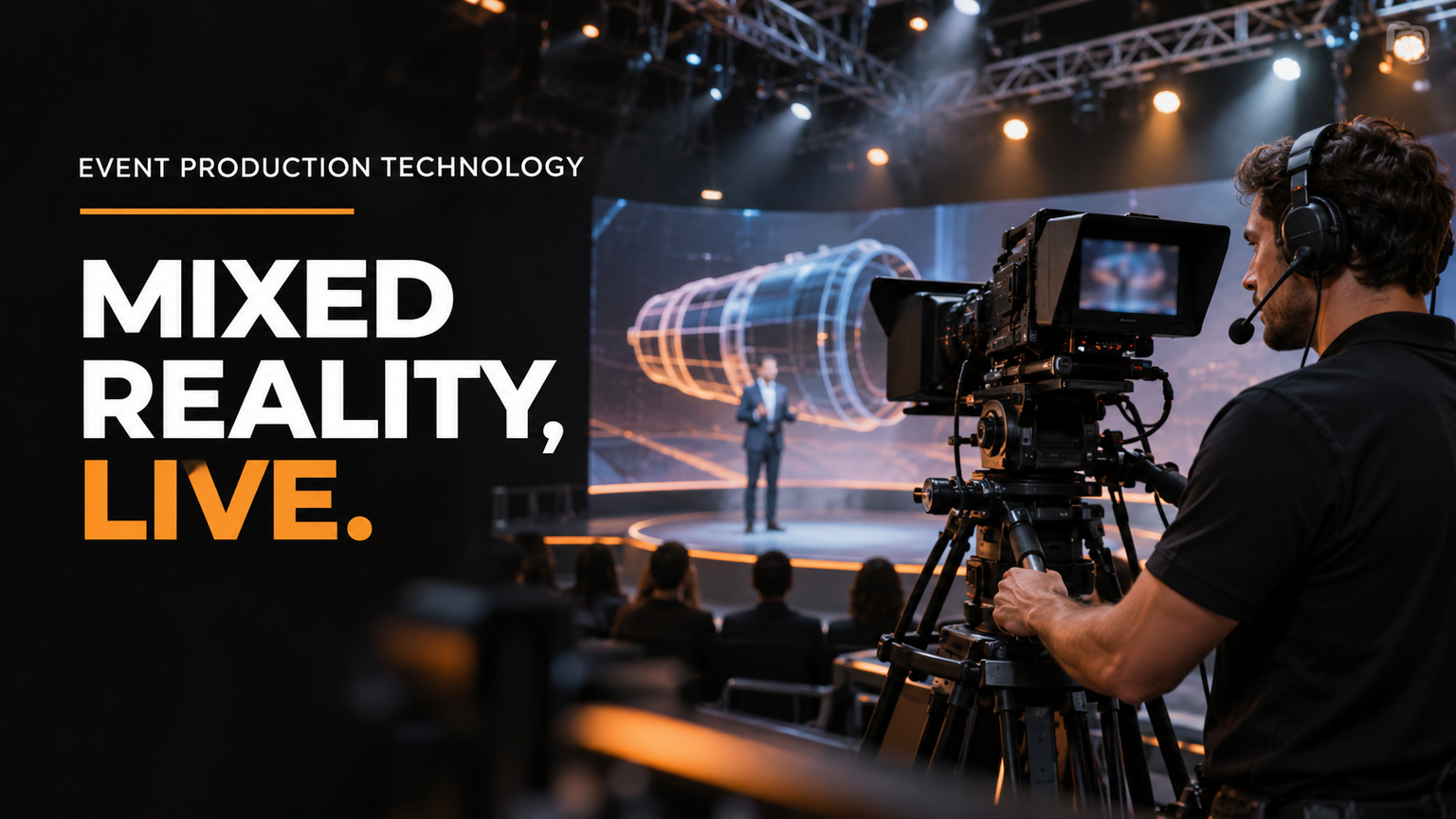
Imagine a corporate product launch. A presenter stands on a physical stage while a digital model of the product appears beside them. The presenter can interact with the model, the camera follows the action, and the audience sees the digital elements integrated with the real environment.
That is one possible mixed reality experience. Another might involve attendees wearing headsets to explore a virtual product showroom. A third might place a presenter in front of an LED environment that displays a computer-generated world.
These experiences share a relationship between physical and digital content, but their production requirements are not the same.
It helps to understand four related terms:
- Augmented reality (AR): Digital information or objects are added to a view of the physical world.
- Virtual reality (VR): A headset creates an immersive digital environment that largely replaces the participant's ordinary view of the physical surroundings.
- Mixed reality (MR): Digital elements interact with or are spatially integrated into a physical environment.
- Extended reality (XR): An umbrella term covering AR, VR, MR, and related immersive technologies.
In live production, these terms sometimes overlap in commercial usage. A supplier may describe an LED-based virtual production stage as XR even though the audience never wears a headset.
The practical question is therefore not which label sounds most impressive. It is how the technology changes the experience for the people attending or watching the event.
The Epic Games and ROE Visual Broadcast and Live Events Field Guide provides a useful technical foundation for understanding real-time graphics, mixed reality, tracking, LED systems, and the production teams involved.
Which Mixed Reality Production Format Is Right for Your Event?
This is the most important decision to make before requesting equipment quotations.
There are three broad production approaches worth comparing.
| Production format | What the audience experiences | Main technical requirements | Biggest operational challenge |
|---|---|---|---|
| Headset-based MR/VR | Individual or small-group immersive interaction | Headsets, tracking, content deployment, participant assistance | Device readiness, participant flow, and physical-space management |
| Camera-tracked AR/MR | Digital objects appear integrated with real performers or environments on camera | Camera tracking, real-time rendering, compositing, video integration | Keeping digital elements aligned with the physical camera view |
| LED-volume or XR stage | Performers appear within a digitally rendered environment | LED displays, tracked cameras, rendering engines, lighting, synchronization | Coordinating multiple interconnected systems |
The best choice depends on the event's purpose, audience size, venue, and desired presentation.
1. Headset-based mixed reality experiences
Headset-based experiences allow participants to interact with immersive digital environments.
A company might use this format for a product demonstration, virtual showroom, interactive training experience, or exhibition activation.
For example, visitors at a technology exhibition could put on headsets and explore a digital representation of a product that would be too large, expensive, or impractical to display physically.
The production team must consider more than the headset itself.
Important requirements include:
- Device preparation, charging, and software configuration.
- Tracking and interaction testing.
- Participant instructions and assistance.
- A suitable physical area for movement.
- Cleaning procedures between users.
- A process for managing waiting participants.
- A spectator display so other attendees can understand what the headset user is experiencing.
That last point is easy to overlook. A headset creates a personal experience, but a live event usually contains many people who are not wearing one.
Meta's VR event planning guidance discusses equipment preparation, participant management, physical-space planning, hygiene, and the needs of different audience groups.
2. Camera-tracked AR and mixed reality
Camera-tracked production is particularly useful when digital elements need to appear inside a live camera image.
A presenter might stand beside a virtual engine, walk through a digital building, or interact with a computer-generated product model.
The audience can see the result on venue screens or through a broadcast feed without wearing a headset.
The central requirement is camera tracking.
A tracking system communicates the camera's position and movement to the rendering system. This information allows digital objects to change their apparent position and perspective as the camera moves.
Without accurate tracking, a virtual object may appear to slide, float, or move unnaturally in relation to the physical scene.
Other important requirements include:
- Real-time graphics and rendering.
- Camera and tracking integration.
- Video compositing.
- Correct perspective and alignment.
- Lighting coordination.
- Video switching and display integration.
- Synchronization between connected systems.
A documented example is the Baltimore Ravens AR activation, which describes a large digital raven integrated into live stadium visuals and responsive to game moments. The production involved coordination between cameras, live vision mixing, and stadium display systems.
The example illustrates an important principle: a successful live digital effect is not just a graphics task. It must work with the wider event production environment.
3. LED-volume and real-time XR stages
An LED-volume production places performers in front of large LED display surfaces showing digitally rendered environments.
Tracked cameras and real-time rendering systems help maintain the relationship between the camera perspective and the digital environment.
A corporate event might use this approach to present a product against a virtual city, futuristic landscape, or branded environment.
The physical stage and digital surroundings can appear together in the camera image.
Depending on the design, the production may involve:
- LED walls and display processors.
- Real-time rendering computers.
- Camera-tracking equipment.
- Video processing and compositing.
- Lighting systems.
- Synchronization equipment.
- Media servers and signal distribution.
- Specialist technical operators.
Not every XR production needs an identical configuration. The required architecture depends on the intended visual result, camera arrangement, venue, and production provider.
For further technical context, see Unreal Engine's broadcast and live-event applications, Panasonic's staging and event solutions, and the PRG XR Studio Package.
A Practical Example: Choosing a Format for a Corporate Product Launch
Consider a hypothetical company preparing to introduce a new industrial product at a corporate event.
The company wants attendees to understand the product's design and capabilities. The same event may also include a presenter, a live demonstration, and a recorded presentation for later distribution.
The production choice changes considerably depending on the intended experience.
Option A: Headset-based experience
Attendees take turns exploring a digital product model in an immersive environment. They can examine details that might be difficult to demonstrate physically.
The main production priorities are headset preparation, interaction testing, participant assistance, and a spectator display.
Option B: Camera-tracked mixed reality
A presenter stands on stage while a digital product model appears beside them on the main screen. The model can change or respond during the presentation.
The main priorities become camera tracking, rendering, compositing, and reliable integration with the event's video systems.
Option C: LED-volume XR stage
The presenter appears inside a digitally rendered industrial environment. The background changes as the presentation moves through different product applications.
This requires coordinated LED infrastructure, rendering, camera tracking, lighting, and synchronization.
There is no universal winner. If attendees need to examine a product individually, headsets may make sense. If the priority is a shared presentation, camera-tracked graphics may be more suitable. If the visual environment is central to the presentation, an XR stage may justify its additional complexity.
The lesson is simple: decide what the audience must experience before deciding which technology to purchase or hire.
The Technology Behind a Successful Live Mixed Reality Experience
Once the production format is selected, the next task is understanding how its technical components work together.
A useful way to approach this is to follow the journey from digital content to the final audience experience.
Tracking and calibration
Tracking measures the position or movement of a camera, headset, controller, or other tracked object.
Calibration is the process of configuring the system so its measurements and digital output align correctly with the physical environment.
For camera-based production, tracking information helps the rendering system calculate where digital elements should appear in the camera image.
For headset-based experiences, tracking allows the system to respond to the participant's position and movement.
Both require testing under the actual operating conditions.
The Epic Games and ROE Visual field guide discusses tracking, calibration, rehearsal, and practical technical considerations in live production.
Real-time rendering and graphics
Rendering is the process of generating the digital images that appear in the experience.
In a real-time workflow, the system generates or updates those images while the event is taking place.
This is different from playing a finished video file. A pre-produced video is already rendered. A real-time scene may need to respond to camera movement, participant interaction, or changes during the show.
Real-time rendering can provide flexibility, but it also creates additional dependencies. The graphics system, tracking data, video workflow, and displays must work together.
Video processing and compositing
Compositing combines different visual sources into one final image.
For example, a live camera feed might be combined with a digitally rendered object. The resulting image is sent to the event screen or broadcast output.
The production team needs a clear signal-flow plan showing how cameras, graphics systems, video processors, recording systems, and displays connect.
This is one reason mixed reality production benefits from coordination with conventional audiovisual specialists.
For the broader foundations of event audio, video, connectivity, and technical operations, see Audio Visual for Live Events: Systems, U.S. Standards and the Decisions to Make Before Show Day.
LED displays and lighting
LED displays can provide the physical visual surface for an XR environment. Their processing systems must be compatible with the intended video and rendering workflow.
Lighting also matters because physical performers must appear consistent with the digital environment.
If the virtual environment suggests that a presenter is standing in a bright outdoor setting while the physical lighting creates an entirely different appearance, the result may look unnatural.
The production design should therefore consider the relationship between physical lighting, digital environments, camera exposure, and display output.
Audio and communications
Visual technology does not replace the need for reliable event audio.
Presenters, participants, operators, and remote audiences still need appropriate sound systems and communication arrangements.
A production plan should identify microphone requirements, audio routing, monitoring, intercom, and communication between technical operators.
These requirements should be coordinated with the wider event AV design rather than treated as a separate afterthought.
Networking and signal distribution
Some immersive experiences depend on network connectivity for multiplayer interaction, remote collaboration, content delivery, or other connected functions.
The network requirements depend on the selected platform and architecture. There is no single bandwidth figure that applies to every mixed reality production.
Microsoft's Teams immersive-events documentation provides an example of platform-specific networking and deployment requirements. It also states that Teams Immersive events will retire on April 2, 2027. This is a dated product example, not a general recommendation for event production.
The production team should document which functions require network access, test the actual configuration, and identify what happens if connectivity is interrupted.
The People and Responsibilities Behind Mixed Reality Production
Mixed reality events involve creative decisions and technical operations that need to be coordinated from the beginning.
Depending on the production format, the team may include:
- Event producer: Coordinates the overall event, schedule, stakeholders, and production requirements.
- Creative director: Defines the visual concept and audience experience.
- Real-time graphics specialist: Prepares and operates the digital content.
- Tracking technician: Configures and monitors tracking systems.
- Camera operator: Captures the physical scene and follows the production requirements.
- Video engineer: Coordinates camera feeds, processing, compositing, and display outputs.
- LED technician: Manages display infrastructure and processing where required.
- Audio engineer: Handles microphones, sound routing, monitoring, and communications.
- Lighting engineer: Coordinates physical lighting with the intended visual environment.
- Show management: Coordinates the live sequence and communication between departments.
Not every event needs every role as a separate position. Responsibilities depend on the production's complexity and the services supplied by the venue and production partners.
The important thing is to assign ownership rather than assume someone else is handling a critical system.
| Responsibility | Question to resolve before production |
|---|---|
| Creative content | Who approves and prepares the digital assets? |
| Tracking | Who configures, calibrates, and monitors tracking? |
| Rendering | Who operates the real-time graphics system? |
| Video integration | Who owns camera feeds, compositing, switching, and recording? |
| LED infrastructure | Who supplies and operates display systems and processors? |
| Audio and communications | Who coordinates presenter audio and technical intercom? |
| Networking | Who tests connectivity-dependent functions? |
| Rehearsal | Who approves the complete technical rehearsal? |
| Audience assistance | Who supports participants and manages spectator flow? |
| Recovery | Who makes decisions if a critical component fails? |
This responsibility framework is an editorial planning tool, not a universal industry staffing standard.
For conventional AV roles and wider corporate-event coordination, the Corporate Event AV Production Planning Guide and AV Crew Planning Guide provide related background.
A production provider should clearly identify which services it supplies directly, which are supplied by the venue, and which require specialist subcontractors. Do not assume that a company providing conventional AV technicians automatically provides every tracking, rendering, or XR specialist.
Design the Experience for Everyone in the Room
A successful immersive experience considers more than the person directly interacting with the technology.
A headset-based event may involve several audience groups:
- The participant currently wearing the headset.
- People waiting for their turn.
- Attendees watching from nearby.
- Remote viewers following the event.
- People watching recorded highlights later.
Each group needs a reason to remain engaged.
For example, a spectator display can show the headset participant's perspective. This helps other attendees understand what is happening instead of watching someone interact with an invisible digital environment.
Organizers should also plan participant instructions, assistance, equipment cleaning, physical boundaries, and a suitable waiting area.
Accessibility requires similar attention.
For applicable U.S. public accommodations, ADA Title III includes requirements concerning auxiliary aids and services when necessary to ensure effective communication, subject to the applicable provisions. Examples discussed in the regulations include captions, assistive listening systems, interpreters, and accessible electronic information.
Consult the official ADA Title III regulations and ADA effective communication guidance.
For event planners, practical considerations may include:
- Providing an alternative way to access important event information.
- Using captions where appropriate.
- Giving clear instructions before participants enter an immersive experience.
- Offering suitable assistance.
- Considering people who cannot or do not wish to wear a headset.
- Ensuring that important content remains accessible outside the immersive experience.
The appropriate measures depend on the event, audience, venue, and applicable requirements. A headset should not become the only route to essential event information.
Testing, Calibration, Rehearsal, and Backup Planning
Mixed reality systems should be tested as complete production workflows, not merely as separate pieces of equipment.
A headset may work correctly by itself while the event's spectator display has a problem. A camera may operate normally while its tracking information is not reaching the rendering system correctly.
These dependencies make technical rehearsal especially important.
A practical readiness sequence is:
1. Confirm the venue. Check the physical dimensions, lighting conditions, access, installation requirements, operating areas, and participant movement arrangements.
2. Verify compatibility. Confirm that the selected cameras, tracking systems, rendering equipment, displays, and video processors can work together.
3. Test tracking and calibration. Confirm that tracked devices and cameras produce the intended alignment throughout the planned movements.
4. Validate the digital content. Check that graphics, models, environments, and animations work with the selected rendering workflow.
5. Check the complete video and audio path. Verify camera feeds, compositing, display outputs, recording, microphones, and communications.
6. Test connectivity. Identify every function that depends on a network or internet connection and test the actual event configuration.
7. Rehearse the complete sequence. Include presenter movement, transitions, graphics cues, participant interaction, camera movement, and show-control instructions.
8. Test recovery arrangements. Establish what happens if tracking, rendering, a headset, a display, or network connectivity stops working.
Why latency matters
Latency is the delay between an action and the corresponding visual response.
In headset-based experiences, motion-to-photon latency describes the time between movement and the resulting visual update. Excessive delay can make an experience feel less responsive and may contribute to discomfort.
Varjo's technical explanation of latency discusses why this matters for immersive experiences and refers to approximately 20 milliseconds as a meaningful threshold in its explanation.
That figure should not be treated as a universal acceptance standard for every headset, camera-tracking system, or live production. The actual acceptance criteria should be agreed with the equipment and system providers for the selected configuration.
Questions to ask before approving production
Before signing a production agreement, request written answers to these questions:
- What exactly will the audience experience?
- Why is mixed reality preferable to conventional video or staging?
- Which production format is being proposed?
- Which systems are supplied by the production partner?
- Which systems must the venue or client provide?
- Who owns tracking and calibration?
- Who operates rendering and compositing?
- Who integrates cameras, lighting, LED displays, and audio?
- How will attendees outside the immersive experience engage with the content?
- What happens if a critical component fails?
- How much time is allocated for technical rehearsal?
- What measurable acceptance criteria determine whether the production is ready?
A proposal that cannot answer these questions clearly may need further technical development before approval.
When Is Mixed Reality Worth the Additional Production Complexity?
Mixed reality can create memorable experiences, but additional technology does not automatically produce a better event.
The Epic Games and ROE Visual field guide discusses the practical demands of real-time production and cautions against choosing technology simply because it is new.
Pre-rendered video may be more predictable when the content does not need to respond to live interaction or changing conditions.
For example, a company presenting a fixed product animation may achieve its objective with a conventional screen and a professionally produced video. A real-time mixed reality system may add complexity without improving the audience's understanding.
By contrast, a product demonstration in which a presenter needs to manipulate a digital model in real time may benefit from camera-tracked graphics.
The decision can be evaluated using four questions:
- Storytelling: Does the technology help communicate something that would otherwise be difficult to show?
- Participation: Does the audience need to interact with the digital environment?
- Visual integration: Is there a genuine reason to combine physical and digital environments live?
- Adaptability: Does the content need to change in response to presenters, participants, or live events?
If the answer to these questions is no, a simpler production approach may be the better decision.
Also consider the additional planning, specialist coordination, venue requirements, technical testing, and rehearsal involved. Real-time workflows can offer flexibility and reuse opportunities, but they do not guarantee lower costs or shorter production schedules.
The correct choice is the one that delivers the intended experience reliably, not necessarily the one with the most impressive technical specification.
Mixed Reality Event Production Readiness Matrix
Use the following framework when preparing a production brief or comparing proposals from event technology providers.
| Decision area | Questions to resolve | Evidence of readiness |
|---|---|---|
| Audience experience | Is the experience individual, shared, broadcast, or interactive? | Approved audience journey |
| Production format | Headset, camera-tracked MR, or LED-volume XR? | Written production architecture |
| Venue | Are space, lighting, access, and operating conditions suitable? | Venue survey |
| Content | Are digital assets prepared for the selected workflow? | Approved content package |
| Tracking | Which cameras, devices, or tracking systems are required? | Calibration and tracking test |
| Rendering | Which systems generate the digital elements? | Tested rendering configuration |
| Video integration | How do cameras, graphics, displays, and recording connect? | Signal-flow diagram |
| Audio | How will presenters, participants, and remote audiences hear the program? | Audio and communications test |
| Network | Which functions depend on connectivity? | Measured network test and fallback |
| Personnel | Who owns creative, tracking, rendering, integration, AV, and operations? | Named responsibility matrix |
| Rehearsal | Has the complete experience been tested? | Rehearsal record |
| Recovery | What happens when a critical component fails? | Tested contingency plan |
The most important insight is that each format creates a different dominant operational risk.
| Format | Main risk | Critical readiness question |
|---|---|---|
| Headset-based MR/VR | Participant flow and device readiness | Can every participant be guided through the experience safely and reliably? |
| Camera-tracked AR/MR | Tracking and compositing accuracy | Does the digital scene remain aligned with the physical camera view? |
| LED-volume XR | Coordination and synchronization | Can the rendering, displays, cameras, and lighting deliver the intended image together? |
This is a qualitative production comparison, not measured failure-rate research or a published industry standard.
A useful proposal should also identify the following:
- Equipment supplied by the production partner.
- Equipment supplied by the venue or client.
- Specialist operators and their responsibilities.
- Technical rehearsal and installation time.
- Testing and acceptance criteria.
- Contingency arrangements.
- Any additional costs or services requiring separate confirmation.
Do not accept vague promises that everything will work together. Ask for a documented technical plan and named responsibility for each critical dependency.
Frequently Asked Questions
What is mixed reality event production?
It is the production of live experiences that combine physical environments, people, and computer-generated elements. Depending on the event, this may involve headsets, camera tracking, real-time graphics, LED displays, and specialist technical operators.
What is the difference between MR, AR, VR, and XR?
AR adds digital elements to views of the physical world. VR creates an immersive digital environment. MR combines physical and digital elements in an integrated experience. XR is the broader term covering these immersive technologies.
Does every mixed reality event need an LED wall?
No. Headset-based experiences and some camera-tracked productions can operate without an LED volume. The equipment depends on the intended experience and production architecture.
What equipment is needed for camera-tracked mixed reality?
A typical workflow may involve cameras, tracking systems, real-time rendering, video processing, compositing, and display or broadcast systems. The exact configuration depends on the visual output and venue.
What specialists are needed for a live XR event?
Depending on complexity, a production may need real-time graphics operators, tracking technicians, camera operators, video engineers, LED technicians, audio and lighting engineers, and show management. Not every production requires every role as a separate position.
How is a headset event different from an XR stage production?
A headset event focuses on individual or small-group interaction with an immersive digital environment. An XR stage integrates physical performers with a digitally rendered environment for a shared presentation or camera output.
Why are tracking and calibration important?
They help digital content remain correctly positioned relative to the camera, participant, or physical environment. Poor alignment can make virtual elements appear unstable or disconnected from the scene.
Can a conventional AV production team support mixed reality?
Conventional AV specialists can support important systems such as audio, video, lighting, displays, and show operations. Additional tracking, real-time rendering, or immersive-platform expertise may also be needed. Confirm the actual capabilities and responsibilities of the proposed team.
When is pre-rendered video a better option?
When the content is fixed and does not need live interaction, camera-responsive graphics, or changing digital environments. Pre-rendered video may offer a simpler and more predictable production workflow.
Conclusion
Mixed reality event production works best when technology serves a clear audience purpose. A headset experience, camera-tracked presentation, and LED-volume XR stage may all combine physical and digital content, but they require different production architectures and operating responsibilities.
Start by deciding what attendees should see, understand, or interact with. Then select the appropriate format, identify the technical dependencies, assign clear ownership, and test the complete system before the event.
A successful production is not defined by how much technology it contains. It is defined by whether the physical and digital elements work together to deliver the intended experience reliably.