


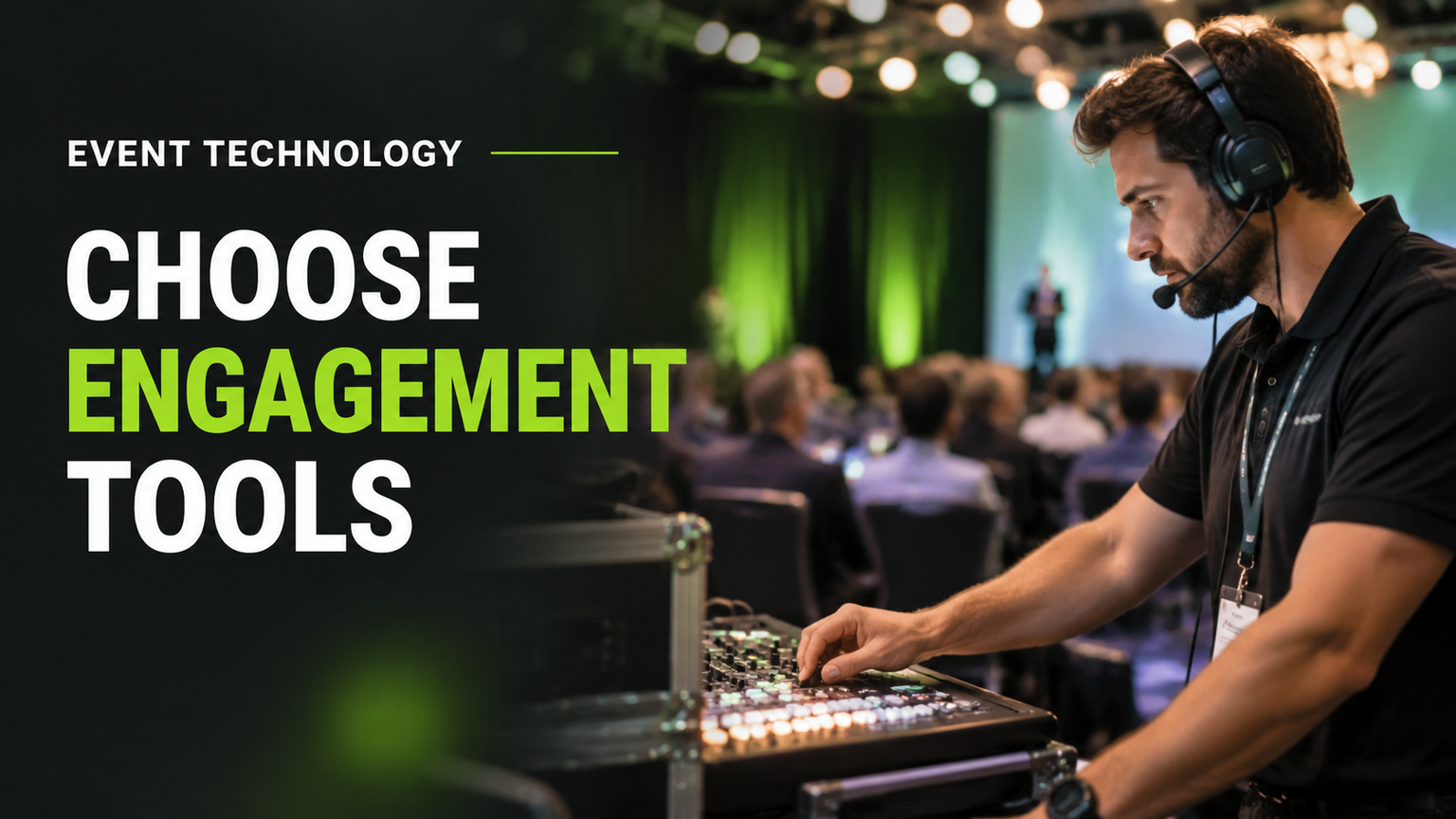
Published on November 14, 2026
Event Engagement Technology: How to Choose Tools That Work at Live Events
Quick Answer
Event engagement technology helps people participate in an event instead of simply watching presentations. It includes live polling, audience Q&A, mobile event applications, networking platforms, interactive displays, quizzes and feedback tools. The right choice depends on what attendees need to do. Organizers must also ensure that the software, internet connection, audiovisual equipment and technical team work together reliably.
Key Takeaways
- Start with the interaction you want attendees to have, not a software vendor's feature list.
- Live polling, Q&A, networking, gamification and feedback tools serve different purposes.
- A successful interactive experience depends on connectivity, audiovisual integration and clear operational responsibilities.
- Not every event needs a dedicated mobile application or an expensive engagement platform.
- Accessibility, attendee privacy and backup procedures should be considered before the event.
- Measure meaningful participation rather than relying on app downloads or clicks alone.
What Is Event Engagement Technology?
Event engagement technology refers to the digital tools and connected audiovisual systems that allow attendees to participate in an event, communicate with speakers, interact with content and connect with other people.
Traditional presentations often follow one direction: a speaker delivers information while the audience listens. Engagement technology creates opportunities for attendees to contribute to that experience.
For example, a conference speaker might ask everyone to vote on a question using their smartphones. The results appear on the main screen, giving the speaker an opportunity to discuss the audience's opinions. Attendees might also submit questions digitally instead of waiting for a microphone to reach them.
Other events use networking applications to introduce participants with similar professional interests, interactive screens to demonstrate products, or quizzes to make training sessions more participatory.
The important distinction is that engagement is about participation, not simply technology usage. An attendee who downloads an event application but never uses it has not necessarily become more engaged. Similarly, displaying a QR code does not automatically create a valuable interaction. The technology must give people a reason and an easy way to participate.
Understanding the different dimensions of engagement
A 2025 review in the International Journal of Contemporary Hospitality Management examines technology-facilitated event engagement through cognitive, affective and behavioral dimensions. It also discusses media technology, immersive technology and smart consumer-assistive technology as broad categories.
In everyday language:
- Cognitive engagement: Attendees think about, understand and process the information presented.
- Affective engagement: Attendees feel interested, involved or emotionally connected to the experience.
- Behavioral engagement: Attendees take action, such as answering a poll, asking a question or joining a discussion.
This distinction matters because an event does not necessarily need the largest number of interactive features. It needs experiences that support its audience and objectives.
Which Event Engagement Technologies Can Organizers Use?
Different tools support different kinds of participation. Understanding these differences makes it easier to choose a suitable solution without paying for unnecessary features.
| Technology | What attendees can do | Where it is useful | Important consideration |
|---|---|---|---|
| Live polling | Vote and share opinions | Keynotes, conferences and meetings | Results must be displayed clearly and promptly |
| Audience Q&A | Submit questions to speakers | Presentations, panels and seminars | Questions need moderation and an answering workflow |
| Mobile event applications | Access schedules, information and interactive features | Multi-session conferences | Attendees must find the application useful enough to access |
| Networking platforms | Discover and connect with participants | Business conferences | Profiles and introductions should support meaningful connections |
| Gamification and quizzes | Complete challenges and answer questions | Training and product activations | Activities should support the event's purpose |
| Interactive displays | Explore information and digital demonstrations | Exhibitions and product showcases | Screen placement and usability matter |
| Digital surveys | Provide feedback and opinions | Workshops and post-event evaluation | Questions should be relevant and easy to complete |
| Hybrid engagement tools | Participate remotely in selected activities | Hybrid conferences | Remote participants need an effective interaction channel |
These technologies can operate independently or as part of a larger event platform. For example, an organizer running a one-hour corporate presentation may only need a browser-based polling and Q&A tool. A three-day conference with several sessions and networking opportunities may benefit from a broader attendee application.
For additional examples of audience engagement features, see Nunify's comparison of audience engagement tools. Its feature descriptions are vendor-market research, not independent proof that one product is superior.
Live polling and audience response systems
Live polling allows attendees to answer questions during a presentation. Responses can be collected through a mobile browser, event application or dedicated audience response system.
A speaker might ask which business challenge is most important to the audience, which proposed solution participants would prioritize, or how familiar they are with the subject being discussed.
The results can appear on a presentation screen, giving the speaker an immediate view of audience responses.
Polling is useful when presenters want to understand existing knowledge, encourage participation or introduce a discussion. Questions should be relevant and easy to answer. Repeated polls that interrupt a presentation without adding value can become distracting.
Interactive Q&A and audience messaging
Digital Q&A gives attendees another way to communicate with presenters. Instead of relying entirely on handheld microphones, participants can submit questions through an application or browser interface.
A moderator can review submissions, identify duplicates and prioritize relevant questions.
A good Q&A workflow needs a simple submission method, a person responsible for reviewing questions and a clear method for presenting them to the speaker. Organizers should also provide an alternative for attendees who cannot or do not want to use the digital system.
Mobile event applications
Mobile event applications bring several attendee services together. Depending on the platform, they may provide schedules, speaker biographies, venue information, announcements, polling, Q&A, networking, messaging and session feedback.
Their greatest value comes when attendees need information or interaction throughout the event. However, an application is not essential for every occasion. If participants only need a schedule and venue directions, an accessible mobile-friendly webpage may be sufficient.
A useful additional comparison is Nunify's guide to conference engagement applications. Treat its product descriptions as examples of available features, not as independently verified rankings.
Networking and attendee matchmaking
Networking technology helps participants discover other attendees and arrange professional conversations. Some platforms allow users to create profiles, identify interests, browse participants and arrange meetings.
For a corporate conference, this can help attendees find people working in similar industries or dealing with comparable business challenges.
Successful networking is not measured simply by the number of profiles viewed. The more meaningful question is whether participants make useful connections. Organizers should explain how profiles work, what information becomes visible and whether participants control their networking preferences.
Gamification and interactive activities
Gamification uses points, challenges, quizzes, progress indicators and leaderboards to encourage participation.
A training conference might include short knowledge checks after each presentation. Participants answer questions and receive points for correct responses. A product activation might use an interactive challenge to encourage visitors to explore different features.
Gamification works best when the activity supports the event's purpose. An unnecessary competition can distract attendees or make a professional experience feel forced.
Interactive displays and digital demonstrations
Interactive displays allow attendees to explore content rather than simply watch it. Examples include touchscreens, digital product demonstrations, interactive presentation walls and information kiosks.
These systems can be useful at exhibitions, product launches and corporate showcases where visitors need to explore information at their own pace. Their effectiveness depends on screen visibility, placement, interface clarity and reliable operation.
Digital feedback and surveys
Surveys give attendees an opportunity to evaluate sessions, speakers, facilities and the overall event experience.
A short session survey can ask whether the presentation was relevant, whether the speaker explained the subject clearly and what participants would like to learn next.
The questions should be limited to information that the organization can actually use. Long surveys often create unnecessary effort for participants.
How to Choose the Right Event Engagement Technology
The easiest way to choose a solution is to begin with the experience you want to create. A technology supplier may advertise dozens of features, but that does not mean every feature is useful for your event.
Step 1: Identify the audience action
Write down exactly what you want attendees to do:
- Vote on a presentation question.
- Submit questions to a panel.
- Connect with other professionals.
- Complete an interactive learning activity.
- Explore a product demonstration.
- Provide feedback after a session.
This prevents the purchasing process from becoming a search for impressive features without a defined purpose.
Step 2: Match the action to the technology
Once the objective is clear, choose the simplest suitable technology.
| Desired attendee action | Suitable starting point |
|---|---|
| Share an opinion | Live polling |
| Ask a speaker a question | Moderated Q&A |
| Find relevant professionals | Networking platform |
| Participate in a learning activity | Quiz or gamification tool |
| Explore product information | Interactive display |
| Evaluate a session | Digital survey |
| Participate from a remote location | Hybrid engagement platform |
A single platform may support several activities. However, integration should not be confused with necessity. A simple tool that performs one important function reliably may be a better choice than a complicated system that the event team struggles to operate.
Step 3: Consider the event format and audience
The best solution depends on the event itself. A small internal meeting may need one polling feature. A large conference may require networking, session information, Q&A and feedback across several rooms.
Consider how many people will attend, whether participation is in person or remote, how familiar the audience is with applications, how often interactions will take place and whether accessibility or language requirements apply.
Do not assume that a larger event automatically needs more software. Complexity should follow the requirements, not the size of the vendor's feature catalogue.
Step 4: Check integrations and compatibility
Before purchasing, establish how the platform connects with the systems already used by the event team.
A polling system may need to work with presentation software. An interactive display may require a particular computer connection or supported video format. A hybrid platform may need to exchange audio and video signals with the venue's production system.
Ask the supplier to demonstrate the actual workflow rather than relying only on a written feature list.
Step 5: Compare the complete operating cost
The subscription or rental price is only one part of the cost. Consider platform licensing, setup, integration, equipment, technical staffing, training, onsite support and additional charges for advanced features.
A cheaper tool may require more manual work or additional technical support. A more expensive solution may offer useful integrations, but those features have little value if nobody needs them.
Choose according to the complete cost of delivering the required experience.
What Makes Engagement Technology Work During a Live Event?
Selecting an engagement platform is only the beginning. The actual attendee experience depends on the systems surrounding it.
Consider a corporate keynote where the speaker asks attendees to vote on a question. The audience accesses a polling page, submits responses and watches the results appear on the main screen.
Several things must happen correctly:
- Attendees must know how to access the polling page.
- Their devices must connect to the platform.
- The venue network must support the expected activity.
- The polling system must collect responses correctly.
- The presentation system must display the results.
- A technical operator must manage the presentation workflow.
- The speaker must understand and use the results.
If an important part fails, the experience may become confusing or stop working. This is why engagement technology should be planned as part of the complete audiovisual production environment.
A peer-reviewed ACM conference paper examining audience participation in professional productions provides a useful supporting insight: interactive mechanisms such as polls and audience screens need to be integrated with the purpose and content of the event. The existence of an interaction feature alone does not make participation meaningful.
Research: Augmenting the Performer–Audience Live Participation in Professional Event Productions.
Internet connectivity and network capacity
Many engagement tools depend on internet access. When hundreds of attendees connect simultaneously, organizers should not assume ordinary guest Wi-Fi will automatically provide reliable performance.
Before the event, confirm:
- Internet availability and coverage in audience areas.
- Whether attendee and production networks need separate arrangements.
- The expected number of connected devices.
- Authentication or access restrictions.
- Whether important production equipment can use wired connections.
- What happens if the primary connection fails.
Required network capacity varies according to the application, number of users and media being transmitted. There is no single bandwidth figure suitable for every event.
A practical test should use representative attendee devices and reproduce the expected interaction as closely as possible.
For further production guidance, see the AV Labor Source Corporate Event AV Production Planning Guide.
For additional operational considerations involving mobile event applications and connectivity, see Event Tech Live's mobile application buyer's guide.
Displays and presentation integration
If audience responses need to appear on stage screens, the engagement platform must work with the presentation environment.
The technical team should establish which computer will operate the presentation, how polling results will reach the display, which video connections and formats are supported, whether the presenter can see the results clearly and who controls transitions between presentation content and audience responses.
These details should be tested before attendees enter the room.
Audio and microphone management
Digital Q&A does not eliminate the need for good audio. A speaker may need to answer questions submitted through an application while also taking questions from people in the room.
The production team must ensure that speakers can hear audience questions and that remote participants, when present, can hear both the presenter and the room. Microphone placement, audio mixing and signal routing all influence the result.
Hybrid participation
Hybrid events bring together people attending in person and remotely. An engagement platform can help both groups participate, but the production design must account for their different experiences.
A poll should be accessible to remote and onsite attendees. Questions from both groups should reach the moderator. Results should be visible to everyone who needs them.
The audiovisual setup may also require cameras, microphones, streaming equipment, audio mixing and return audio. Return audio means the sound sent back to the production or presenter environment so remote communication can be heard and managed appropriately.
A streaming subscription alone does not create a complete hybrid experience.
For a broader understanding of the people involved in live production, readers can explore the AV Crew Planning Guide for Large Corporate Events.
Assign clear technical responsibilities
Different people may manage different parts of the experience. An event organizer might control the program and attendee communications. A platform administrator may configure polling and Q&A. A moderator may review questions, while an audiovisual technician manages presentation displays and signal routing.
Assign responsibility before the event begins. For events with several rooms, interactive stations or hybrid production, consider the technical staffing requirements. The AV Technician Staffing Guide for Events provides additional guidance on matching technical roles to event requirements.
How to Prevent Engagement Technology Problems
Even a well-chosen platform can create problems if the complete workflow has not been tested.
A useful pre-event test should cover:
Attendee access: Test QR codes, links, login instructions and permissions. Make sure instructions are understandable.
Network performance: Check connectivity in the actual audience areas rather than testing only from the production desk.
Presentation integration: Confirm that results, questions and interactive content appear correctly on the intended displays.
Device compatibility: Test representative smartphones, browsers and other devices that attendees may use.
Moderation: Confirm who reviews questions, removes inappropriate submissions and communicates with presenters.
Backup arrangements: Establish what happens if the internet connection, platform, presentation computer or display fails.
Prepare a practical fallback
Suppose the internet connection becomes unavailable during a live audience poll. The event should not stop simply because attendees cannot access the polling page.
The presenter could ask for a show of hands, use an alternative microphone-based response or continue with a prepared discussion question.
Similarly, if digital Q&A becomes unavailable, a moderator can collect questions through handheld microphones.
The objective is not to prepare for every imaginable technical failure. It is to identify which systems are essential and establish a workable alternative for each one.
Accessibility, Privacy and Attendee Trust
An interactive experience is only useful when attendees can participate appropriately and understand how their information is handled. These considerations should be part of the initial technology selection.
Make interactions accessible
An event application or polling interface should not become an unnecessary barrier.
Consider readable text, logical navigation, accessible controls, compatibility with relevant assistive technologies, captions for applicable live audiovisual content, alternatives to smartphone-only interactions and suitable microphone and assistive listening arrangements.
The U.S. Department of Justice explains that covered entities may need to provide appropriate auxiliary aids and services to ensure effective communication with people with communication disabilities. Depending on the circumstances, these can include qualified interpreters, real-time captioning and assistive listening systems.
Official guidance: U.S. Department of Justice — Effective Communication.
Applicable Title III requirements are available in the ADA Title III Regulations.
The Web Content Accessibility Guidelines (WCAG) also address captions for live synchronized media. Success Criterion 1.2.4 specifies live captions as a Level AA requirement under WCAG 2.1.
Source: W3C — Understanding Captions (Live).
The exact legal obligations depend on the organization, venue, event and circumstances. Organizers should not assume that every event has identical requirements.
Protect attendee information
Engagement technology may collect attendee names, email addresses, professional details, poll answers, submitted questions, networking activity or feedback.
Before selecting a provider, ask:
- What information does the platform collect?
- Why is each item needed?
- Who can access the information?
- Which third parties receive it?
- How long is it retained?
- Can information be exported or deleted when appropriate?
- Will the data be used for marketing or purposes beyond the original interaction?
The Federal Trade Commission recommends that businesses understand what personal information they collect, limit unnecessary collection and take appropriate steps to protect information they retain.
Its practical guide is available here: FTC — Protecting Personal Information: A Guide for Business.
Collecting attendee information for a poll does not automatically give an organization permission to use it for unrelated marketing activities. Applicable privacy and marketing requirements should be checked separately.
How to Measure Whether Your Engagement Technology Is Working
Once the event is complete, organizers need to determine whether the technology delivered the intended experience. The easiest mistake is to measure activity without considering value.
For example, the number of application downloads may show how many people installed the application, but it does not establish whether they used its interactive features.
Choose measurements that correspond to the original objective.
| Engagement objective | Useful measurement | What it helps explain |
|---|---|---|
| Encourage audience participation | Number of poll responses and participation rate | Whether attendees took part in the activity |
| Improve speaker interaction | Questions submitted and answered | Whether the Q&A process supported discussion |
| Support professional networking | Completed meetings or connections | Whether attendees formed useful contacts |
| Improve learning participation | Completed quizzes or activities | Whether attendees participated in the learning experience |
| Collect attendee feedback | Survey completion and feedback quality | Whether the event produced actionable feedback |
| Include remote participants | Remote participation and interaction completion | Whether online attendees could participate |
Calculate an engagement participation rate
One simple measure is the participation rate for a particular activity:
Participation rate = (Number of participating attendees ÷ Number of eligible attendees) × 100
For example, suppose 180 people are eligible to participate in a conference poll and 126 submit a response.
Participation rate = (126 ÷ 180) × 100 = 70%
The result indicates that 70% of eligible attendees participated in that poll. It does not prove that the event as a whole was successful. It measures one defined interaction.
For meaningful comparisons, organizers should define the eligible audience consistently. People who left the session before the poll, for example, may need to be treated differently depending on the measurement objective.
Cvent's Attendee Hub product information provides an example of vendor-described attendee engagement and reporting capabilities. These capabilities should not be treated as independent proof of business outcomes. Organizers still need to define their own success measures and interpret the results in context.
Event Engagement Technology Selection and Production Readiness Checklist
Choosing a platform becomes easier when organizers evaluate the complete experience rather than individual features.
The following matrix brings together five important decisions: the attendee objective, the technology, the production requirements, the responsible person and the fallback plan.
| Engagement objective | Technology | Essential production requirement | Operational responsibility | Useful measurement | Fallback |
|---|---|---|---|---|---|
| Collect audience opinions | Live polling | Reliable attendee access and presentation integration | Platform operator and presentation technician | Responses and participation rate | Verbal or show-of-hands response |
| Collect audience questions | Moderated Q&A | Question moderation and presenter communication | Moderator and platform operator | Relevant questions answered | Handheld microphone |
| Encourage professional connections | Networking platform | Attendee access and meeting arrangements | Event application administrator | Completed meetings or connections | Facilitated introductions |
| Encourage learning | Quizzes and gamification | Content playback, scoring and timing | Session operator | Completed activities | Verbal activity |
| Include remote attendees | Hybrid engagement platform | Streaming, return audio and moderation | Hybrid production team | Remote participation | Alternative moderated communication channel |
| Collect feedback | Digital survey | Accessible interface and reporting | Event organizer | Completed feedback | Alternative accessible survey method |
This is a practical decision framework, not an independently tested performance benchmark or a record of a particular company's deployment.
Worked example: A corporate keynote with polling and Q&A
Imagine an organizer preparing a corporate keynote for 180 eligible attendees. The presenter wants to run one audience poll and collect questions for a discussion afterward.
Before the event
- Select a polling and Q&A platform.
- Decide how attendees will access it.
- Confirm venue connectivity and presentation compatibility.
- Assign a platform operator and a question moderator.
- Decide how poll results will appear on the main screen.
- Prepare a microphone-based alternative.
During the event
- The presenter introduces the poll.
- Attendees submit responses.
- The operator displays the results.
- The presenter discusses the findings.
- The moderator reviews incoming questions and selects relevant submissions.
- The presenter answers questions using the agreed audio workflow.
After the event
- Review the number of eligible attendees and responses.
- Calculate the participation rate.
- Evaluate the relevance of the questions.
- Record any technical problems.
- Identify improvements for the next event.
If 126 of the 180 eligible attendees respond, the participation rate is 70%.
This hypothetical example illustrates how an engagement feature becomes a complete production workflow. It is not a documented client project or a claim of tested platform performance.
Five questions to ask before purchasing
Before signing an agreement, ask the supplier and your event team:
- What specific attendee interaction does this technology support?
- Which existing systems must it connect with?
- Who will configure, operate and support it?
- What is the alternative if the system stops working?
- How will we determine whether the interaction was successful?
If the answers are unclear, the technology may not yet be ready for procurement.
Frequently Asked Questions
What is event engagement technology?
Event engagement technology includes software, digital tools and audiovisual systems that help attendees participate in events. Examples include live polling, Q&A, networking applications, interactive displays, quizzes and feedback systems.
What are the most common event engagement tools?
Common tools include audience polling systems, moderated Q&A platforms, mobile event applications, networking tools, gamification software, interactive displays and digital surveys. The best choice depends on the intended attendee interaction.
Is an event engagement platform different from event management software?
Yes. An engagement platform focuses on attendee participation, such as polling, questions and networking. Event management software generally handles broader administrative functions, including registration, scheduling and attendee records. Some products combine both types of functionality.
Does every corporate event need an event application?
No. A dedicated application is useful when attendees need ongoing access to schedules, notifications, networking or interactive features. For a smaller event, an accessible mobile-friendly webpage or a standalone interaction tool may be sufficient.
How does engagement technology work at hybrid events?
It provides interaction channels for people attending in person and remotely. Depending on the event, attendees may participate in the same polls, submit questions and access shared content. Successful delivery also requires suitable streaming, audio, connectivity and moderation.
What equipment is needed for live polling and Q&A?
Requirements depend on the platform and event format. A typical setup may include attendee smartphones or computers, internet connectivity, a presentation computer, suitable displays and a technical operator. Q&A may also require microphones and a moderator.
How can organizers measure attendee engagement?
Use measurements that match the intended activity. Examples include poll participation rates, questions submitted and answered, completed networking meetings, quiz participation and survey feedback. Downloads and clicks alone do not establish meaningful engagement.
How can organizers make engagement technology accessible?
Provide clear instructions, readable interfaces, appropriate assistive technology compatibility, captions where required and alternatives to smartphone-only participation. Review applicable accessibility obligations for the venue and event.
How can organizers protect attendee information?
Collect only necessary information, explain why it is collected, limit access, review supplier data practices and establish appropriate retention and deletion procedures. Check applicable privacy and marketing requirements before using attendee information for additional purposes.
Choosing Event Engagement Technology That Works
The best event engagement technology is not necessarily the platform with the largest feature list. It is the solution that helps attendees participate in a meaningful way and works reliably within the event's actual environment.
Start with the audience action. Match it to an appropriate tool, check compatibility and connectivity, assign technical and moderation responsibilities, and prepare an alternative if something fails.
For corporate conferences and live productions, the audiovisual environment is an essential part of that decision. Displays, microphones, presentation systems, networking and skilled technical operators can determine whether an interactive experience works as intended.
When software, production equipment and people are planned together, engagement technology becomes more than another event feature. It becomes a practical way to create a more participatory experience for everyone in the room and, where appropriate, those joining remotely.