


Published on November 3, 2026
Audio Visual Means of Communication: Types, Examples, Accessibility, and a Practical Selection Framework
📌 Quick Answer
Audio visual means of communication convey information through both sound and visual content, such as narrated presentations, training videos, webinars, and live events. Choose the format for the message and audience. Coordinate sound and visuals, provide suitable accessibility, and test the delivery system so the intended information remains understandable.
💡 Key Takeaways
- Audiovisual communication combines meaningful audio and visual information; not every digital medium qualifies.
- Videoconferencing, narrated presentations, training videos, webinars, livestreams, broadcasts, and live event presentations are common audiovisual formats.
- Adding pictures or video does not automatically improve communication. Relevance, coordination, cognitive load, and audience needs matter.
- Accessibility can require captions, audio description, assistive listening, or alternative formats depending on the medium and context.
- Professional AV communication involves more than equipment: message design, content, system performance, viewing conditions, and production execution all affect the result.
- Choose an audiovisual method by considering message complexity, audience location, interaction, permanence, accessibility, and the environment.
What Are Audio Visual Means of Communication?
Audio visual means of communication are methods in which information is conveyed through both auditory and visual elements.
The essential point is meaningful information through both channels. A telephone call is audio communication. A printed chart is visual communication. A videoconference becomes audiovisual because participants receive meaningful speech and visual information together.
The Getty Art & Architecture Thesaurus defines audiovisual materials as materials that use sight and sound to convey information. U.S. federal accessibility guidance similarly distinguishes synchronized audio-and-video media from audio-only and video-only content.
This distinction matters because the phrase “audio visual” is often used loosely. It can refer to communication itself, the content being communicated, the equipment carrying it, or an entire technical production system. Those are related, but they are not the same thing.
For example:
Message → medium → AV system → audience
A presenter may have an explanation to communicate. The medium might be spoken words plus slides. The system may include a microphone, mixer or DSP, loudspeakers, presentation computer, switcher, and display. The audience ultimately receives coordinated auditory and visual information.
At a virtual event, the chain changes:
Presenter → camera + microphone + slides → production/conferencing platform → viewer’s screen + speakers
Reliable audiovisual communication depends on every relevant layer working together.
Audio, Visual, or Audiovisual? A Simple Classification Matrix
One of the easiest ways to understand audiovisual communication is to classify formats according to which sensory channels carry meaningful information.
| Format | Audio | Visual | Audiovisual? | Typical Example |
|---|---|---|---|---|
| Telephone call | Yes | No | No | Voice conversation |
| Audio-only podcast | Yes | No | No | Spoken program |
| Printed chart | No | Yes | No | Infographic |
| Silent digital signage | No | Yes | No | Visual announcement |
| Narrated slide presentation | Yes | Yes | Yes | Training presentation |
| Videoconference | Yes | Yes | Yes | Teams or Zoom meeting |
| Film or video | Yes | Yes | Yes | Instructional video |
| Live presentation with PA and screen | Yes | Yes | Yes | Conference keynote |
This classification avoids a common mistake: assuming that anything delivered digitally is audiovisual. An audio-only podcast remains audio communication unless a meaningful visual component is added.
The same principle prevents another mistake: treating “audiovisual” as synonymous with “video.” A live presenter speaking through a sound system while displaying diagrams or data can also be an audiovisual communication experience.
Common Types of Audio Visual Communication
Audiovisual communication can be organized more usefully by how people communicate than by creating a rigid list of supposedly universal categories.
Person-to-person communication
Videoconferencing and telepresence combine voice, facial expression, shared screens, documents, and other visual cues.
These formats are useful when participants need to interact while located in different places.
One-to-many communication
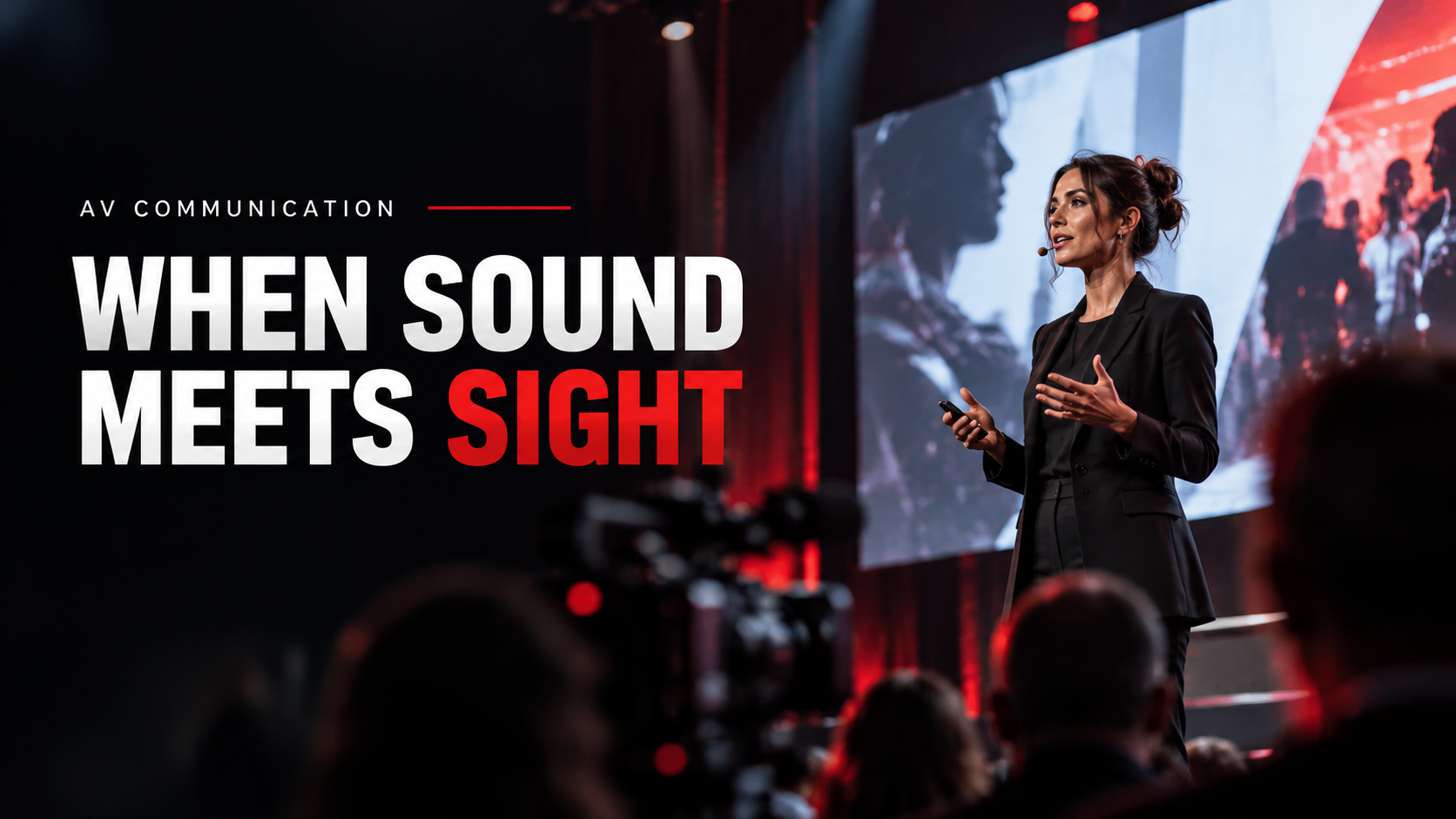
A keynote presentation, broadcast, livestream, or company-wide town hall can deliver audiovisual information from one speaker or production team to many recipients.
At a physical conference, that may involve microphones, speech reinforcement, presentation displays, cameras, and image magnification.
For a deeper look at how those elements become a working production environment, see the Live Event Production Guide.
Recorded instructional communication
Training videos, demonstrations, tutorials, narrated presentations, and recorded lectures can combine spoken explanation with diagrams, demonstrations, animation, or on-screen text.
This format is particularly useful when people need to replay material or access it asynchronously.
Interactive audiovisual communication
Webinars, virtual classrooms, remote demonstrations, interactive presentations, and simulations add interaction such as questions, polling, collaboration, or participant responses.
Public-information communication
Public displays can become audiovisual when synchronized sound carries meaningful information alongside the visual message.
The environment matters here. Sound that works in a quiet museum space may be unsuitable in a noisy transportation hub.
Live event communication
Large meetings, conferences, product launches, and corporate events can combine presenters, microphones, cameras, displays, projection, LED systems, video playback, lighting, streaming, and show control.
Readers who need the system-design side rather than the communication concept can explore Audio Visual for Live Events.
Hybrid communication
Hybrid events join room-based communication with remote presenters or audiences. The production must serve people in both environments rather than treating remote viewers as an afterthought.
The Virtual Event Production Guide covers the production considerations behind virtual and hybrid delivery.
Why Can Audiovisual Communication Be Effective?
The strongest evidence-based answer is not “because people remember a fixed percentage more.”
That popular claim is too simplistic.
Well-designed combinations of words and pictures can improve learning in appropriate conditions. A synthesis in the Cambridge Handbook of Multimedia Learning reports that 13 of 13 transfer tests favored words plus pictures over words alone, with a median effect size of d = 1.35 in the research set summarized there.
In that research set, 13 of 13 transfer tests favored words plus pictures over words alone, with a median effect size of d = 1.35.
That does not prove that every video, presentation, event, or marketing message is automatically more effective than an audio-only or visual-only alternative.
The design of the communication matters.
Related words and visuals should support each other. Irrelevant sound, decorative graphics, duplicate information, excessive animation, and clutter can consume attention without improving understanding.
A systematic review of 94 multimedia-learning articles found substantial research attention to factors such as extraneous cognitive load, presentation format, signaling, modality, and seductive details.
The practical lesson is simple:
Use each medium because it contributes information—not merely because the technology makes it possible to add it.
Audiovisual Communication Myths vs. Evidence
| Common Claim | Better Interpretation |
|---|---|
| “Adding video always improves communication.” | Effectiveness depends on relevance, coordination, audience, and cognitive load. |
| “People remember 80%, 90%, or 95% of what they see and hear.” | Do not use unsupported universal retention percentages. Multimedia research is more conditional. |
| “Audiovisual means video.” | Audiovisual formats also include narrated presentations, videoconferences, live presentations, broadcasts, and interactive media. |
| “Anything digital is audiovisual.” | A digital audio recording can still be audio-only; silent digital signage can still be visual-only. |
| “Captions are simply subtitles.” | Captions can communicate dialogue plus meaningful non-speech audio and speaker information. |
| “Automatic captions automatically make media accessible.” | Automated output can contain recognition, timing, identification, and non-speech-audio errors and should be reviewed appropriately. |
The broader lesson is that communication quality comes from fit, not from simply adding more media.
Accessibility Is Part of Audiovisual Communication Design
Audiovisual communication can fail even when the equipment works perfectly if members of the audience cannot access one of its essential channels.
The scale of hearing-related accessibility is significant in the United States.
According to the National Institute on Deafness and Other Communication Disorders, approximately 15% of U.S. adults—about 37.5 million people—report some trouble hearing.
Approximately 15% of U.S. adults, or about 37.5 million people, report some trouble hearing.
NIDCD also reports that about 1 in 8 people in the United States age 12 or older—approximately 30 million people—have hearing loss in both ears based on standard hearing examinations.
These population statistics should not be converted into assumptions about how many people at a specific event will require a particular accommodation. They demonstrate why audience accessibility should be considered rather than assumed.
Captions
For synchronized digital media, captions provide access to spoken information and meaningful audio for users who cannot rely on the audio channel.
Under WCAG 2.1:
- Success Criterion 1.2.2, Level A addresses captions for prerecorded synchronized media, subject to its stated exception.
- Success Criterion 1.2.4, Level AA addresses captions for live synchronized media.
- Success Criterion 1.2.5, Level AA addresses audio description for prerecorded video content in synchronized media.
These are technical accessibility criteria. They should not be presented as though WCAG automatically constitutes the legal rule for every U.S. event or organization.
For production planning, Section508.gov captioning guidance notes that speech above approximately 180 words per minute—about three words per second—can create tradeoffs between reading time and synchronization. It also recommends no more than two caption lines at a time and generally no more than 45 characters per line.
Section508.gov identifies speech above roughly 180 words per minute as a point where caption reading time and synchronization can become more difficult to balance.
That is guidance, not a universal legal speaking-speed limit.
Assistive listening in assembly areas
Accessibility can also affect the physical AV system.
Under the 2010 ADA Standards for Accessible Design, assistive listening systems are required in covered assembly areas where audible communication is integral, subject to conditions and stated exceptions, including provisions related to spaces where amplification is not provided.
That does not mean every event automatically requires the same assistive-listening setup.
Where Table 219.3 applies, the required number of receivers varies with seating capacity. For an assembly area with 50 seats or fewer, the minimum is two receivers, both hearing-aid compatible. Larger seating capacities use formulas specified by the standard.
Where ADA Table 219.3 applies, an assembly area with 50 seats or fewer requires at least two receivers, and both must be hearing-aid compatible.
For many covered configurations, at least 25% of supplied receivers—never fewer than two—must be hearing-aid compatible, subject to the standard's induction-loop provisions.
Practical audiovisual accessibility checklist
Before publishing media or opening an event to an audience, ask:
- Is essential spoken information captioned where required or appropriate?
- Can a user understand essential visual information if they cannot see the screen?
- Does prerecorded synchronized video require audio description or another appropriate alternative?
- Is an assistive listening system required in the specific assembly area?
- If receivers are required, has the applicable quantity been calculated correctly?
- Are required hearing-aid-compatible receivers available?
- Can users discover and request accessibility features easily?
- Has the experience been tested from the perspective of someone unable to use one of the primary sensory channels?
A checklist helps planning, but it does not by itself guarantee legal compliance. Applicability depends on the organization, facility, content, technology, and jurisdiction.
Advantages of Audiovisual Communication
Audiovisual formats can offer several practical advantages when used appropriately.
Complex information can be shown and explained simultaneously
A speaker can describe a process while displaying a diagram. A technician can demonstrate equipment while explaining each step. A trainer can narrate a workflow while highlighting the relevant interface.
Demonstration becomes possible
Some information is difficult to communicate with words alone. Movement, spatial relationships, facial expression, physical procedures, product behavior, and before-and-after comparisons can often be shown more directly.
Remote communication gains additional cues
Videoconferencing can provide facial expression, shared documents, demonstrations, presentation slides, and screen sharing alongside speech.
Recordings can preserve communication
Training, demonstrations, announcements, and presentations can be made available for later review when permanence matters.
One communication system can serve multiple audience locations
Streaming and hybrid production can extend a presentation beyond the room, although remote viewers require deliberate production design rather than simply pointing a camera at the stage.
Disadvantages and Failure Modes
Audiovisual communication also introduces complexity.
Technical failure can affect the message
A failed microphone, unreadable display, unstable stream, blocked sightline, incorrect routing path, or badly configured conferencing system can break the communication chain.
Too much media creates distraction
More graphics, sound, animation, text, and video are not automatically better. Extraneous information can compete with the message.
Accessibility becomes multi-channel
A video may require captions for the audio and audio description or another alternative for important visual information.
Production can require more coordination
Live audiovisual communication may involve audio, video, lighting, streaming, presentation management, networking, show control, and personnel working as one system.
When readers need to understand the hardware layer itself, the Audio Visual Equipment for Events guide explains microphones, cameras, switching, displays, projection, LED, playback, routing, and related event equipment.
How to Choose the Right Audiovisual Communication Method
The best communication format is the one that matches the message, audience, interaction requirement, persistence requirement, accessibility needs, and environment.
Use five questions.
1. How complex is the message?
A brief announcement may need only speech or a simple visual.
A technical procedure may benefit from narration plus diagrams, screen demonstration, animation, or live demonstration.
Do not add video merely because the topic is important.
2. Where is the audience?
Ask whether recipients are:
- in one room;
- distributed across many rooms;
- fully remote;
- hybrid;
- consuming the communication asynchronously.
This decision can determine whether a presentation, videoconference, livestream, prerecorded video, or full event production is appropriate.
3. How much interaction is required?
For one-way communication, a recording or presentation may be sufficient.
For collaboration, questioning, decision-making, or training, interactive formats such as videoconferencing or webinars may be more useful.
4. Does the message need to persist?
Live spoken communication is temporary unless recorded.
If people will need to revisit instructions, training, or reference information, a durable format may be more appropriate.
5. What accessibility and environmental constraints exist?
Consider:
- audience hearing and vision needs;
- captions and audio description;
- assistive listening;
- room noise;
- acoustics;
- viewing distance;
- screen size;
- lighting conditions;
- network conditions;
- remote-device limitations.
A technically impressive system can still fail if people cannot hear, see, read, or access the message.
Professional AV Standards That Relate to Communication Quality
For professional audiovisual systems, recognized standards can help move decisions away from vague judgments such as “the screen looks big enough” or “the audio seems fine.”
AVIXA's published audiovisual standards include resources addressing several different system-performance questions:
| Communication or System Issue | Relevant AVIXA Standard |
|---|---|
| Audio coverage | ANSI/AVIXA A102.01:2022 — Audio Coverage Uniformity |
| System documentation | ANSI/AVIXA D401.01:2023 — Documentation Requirements for Audiovisual Systems |
| Image contrast | V201.01:2021 — Image System Contrast Ratio |
| Performance verification | ANSI/AVIXA D402.02:2013 (R2024) — AV Systems Performance Verification |
| Display size and viewing positions | AVIXA V202.01:2026 — Display Image Size for 2D Content in Audiovisual Systems |
The newest item in that group is particularly relevant to current display planning.
AVIXA V202.01:2026 addresses display image size and viewer positions for Basic Decision Making and Analytical Decision Making in permanent and temporary audiovisual systems.
Standards do not automatically determine the message, make content accessible, or satisfy every law or code. They provide structured technical criteria for particular system-performance problems.
This is also why professional audiovisual communication should not be reduced to an equipment shopping list. Equipment is part of the delivery layer. Performance depends on design, documentation, configuration, commissioning, operation, content, and audience conditions.
For broader production guidance covering stage, cameras, video, audio, lighting, displays, and related practices, see AV Best Practices for Event Production.
A Practical Planning Example
Imagine a national company presenting a technical product update.
A purely verbal presentation may make it difficult to explain changes to a visual interface. A slide deck without narration may omit context. A better approach might combine:
- a presenter explaining the change;
- enlarged screenshots or diagrams;
- live or recorded demonstrations;
- captions;
- Q&A;
- a recording for later access.
Now apply the same framework to a safety announcement in a noisy public environment. Audio may be difficult to hear, so visual reinforcement becomes more important. Conversely, a visual-only announcement may exclude people who cannot see it.
The appropriate method changes because the audience, environment, urgency, complexity, and accessibility conditions changed.
That is the core principle behind choosing audiovisual communication intelligently.
Frequently Asked Questions
What is the simplest definition of audiovisual communication?
Audiovisual communication conveys meaningful information using both sound and visual information. Examples include video, videoconferencing, narrated presentations, webinars, television broadcasts, and live presentations combining speech with screens or other visual media.
What are examples of audio visual means of communication?
Common examples include narrated slide presentations, videoconferences, training videos, films, webinars, livestreams, television programs, interactive virtual sessions, and live conference presentations using microphones and visual displays.
Is a podcast an audiovisual means of communication?
An audio-only podcast is normally audio communication, not audiovisual communication. If the podcast includes meaningful synchronized video or other visual information, that version can be audiovisual.
Is a PowerPoint presentation audiovisual?
It depends on how it is used. Slides viewed silently are visual communication. A presentation in which meaningful spoken explanation accompanies meaningful visual content is an audiovisual communication format.
What is the difference between audiovisual communication and AV equipment?
Audiovisual communication is the process of conveying information through audio and visual channels. AV equipment is the technical layer used to capture, process, distribute, reproduce, or display that information. Microphones, cameras, switchers, loudspeakers, displays, and projectors are equipment—not the communication itself.
Why is audiovisual communication useful?
It can combine explanation with demonstration, show spatial or visual relationships, provide additional communication cues, support remote audiences, and make complex information easier to represent. Its effectiveness still depends on good design; adding unnecessary media can make communication worse rather than better.
What makes audiovisual communication accessible?
Accessibility may involve captions, audio description, transcripts or alternatives, assistive listening systems, readable visual presentation, usable controls, and planning for people who cannot rely on one sensory channel. The applicable requirements depend on the medium, organization, venue, and legal context.
How do I choose the right audiovisual communication method?
Start with five factors: message complexity, audience size and location, required interaction, whether the message must remain available afterward, and accessibility/environmental conditions. Select the simplest format that communicates the necessary information effectively to the intended audience.
Final Perspective
Audio visual means of communication are not simply screens, videos, microphones, or presentation technology. They are ways of delivering information through coordinated auditory and visual channels.
The most effective approach begins with the communication problem.
What must people understand? What should they see? What must they hear? Do they need to respond? Will they access the message remotely or later? Can people who cannot hear the audio or see the visual layer still receive the essential information?
Only after those questions are answered should the technology be selected.
That distinction—message first, medium second, system third—helps organizations avoid both extremes: under-designing communication that genuinely requires audiovisual support and overloading simple communication with unnecessary technology.


CONTACT US
AVLS operate and has proven pool of AV technicians in major cities US Nationwide, such as Las Vegas, Los Angeles, Orlando, Dallas, San Antonio, Austin, Houston, Washington DC, Atlanta, New Orleans, Tennessee and more.
Please complete the form below and we will respond to you as soon as possible. We are available 24 hours a day to assist with your needs. We look forward to showing you what we can do toward the success of your next event.
EVENT INFORMATION
