





Published on November 3, 2026
Live AV Show Readiness: What to Check Before Doors Open
📌 Quick Answer
Live AV is show-ready when critical signal paths work in the real venue, technical responsibilities are clear, and significant failure risks have tested recovery procedures. Check audio, video, wireless systems, power, networks, communications, and show cues before doors open. Successful power-up alone does not establish operational readiness.
💡 Key Takeaways
- Test every required audio and video source through to its intended destination before doors open.
- Check speech coverage, gain structure, and wireless coordination in the actual event venue.
- Assign each critical failure domain a named owner, visible symptom, and appropriate recovery action.
- Verify networked AV, power distribution, cable paths, and crew communications as connected dependencies.
- Rehearse show cues and critical fallback paths with the people who will operate them.
- Treat safety, weather procedures, and temporary structures as separate readiness decisions requiring appropriate review.
Live AV Preflight Priorities
A live AV system is show-ready only when its critical signal paths have been checked, technical ownership is clear, and likely failures have a recovery path where the risk justifies one.
Powering on the gear is not enough.
Before doors open, the production team should confirm six things:
- Every required source reaches the right destination.
- Audio coverage and gain structure have been checked in the real room.
- Wireless systems are coordinated and tested at the venue.
- Each major technical risk has a named owner.
- Power, cable paths, communications, and networked AV have been checked.
- Critical show cues and fallback paths have been rehearsed.
AVIXA’s AV Systems Performance Verification framework supports this broader idea. Verification is not just a power check. It defines what should be checked, when the check should happen, what metric applies, and how the result is recorded.
For a broader look at system planning, see AV Labor Source’s Audio Visual for Live Events guide. This article stays focused on the next question: is the live AV system actually ready to run the show?
The Live AV Show-Readiness Matrix
Every critical system should have four things before doors open: a test, a named owner, a visible failure symptom, and a fallback where the impact is serious enough.
| System | What must be checked | Common live symptom | Primary owner | Backup path |
|---|---|---|---|---|
| Audio inputs. | Each required source reaches the console cleanly. | Missing or distorted source. | A1 or A2. | Spare cable, input, mic, or source where planned. |
| PA coverage. | Required audience areas receive usable coverage. | Dead zones or sharp level changes. | Audio lead or system tech. | Re-aiming, fills, or approved system change where available. |
| Wireless/RF. | Channels are coordinated and checked at the venue. | Dropouts, hits, or interference. | A2 or RF lead. | Backup frequency or spare channel. |
| Playback. | Media runs from the correct source and output. | Frozen source, wrong file, or missed cue. | Playback/GFX. | Backup playback machine or alternate source. |
| Video routing. | Every destination receives the correct feed. | Black screen or wrong source. | V1 or video lead. | Alternate route or source where designed. |
| Displays. | Screens show the correct content and usable image. | Blank, cropped, unreadable, or wrong feed. | Video/display team. | Spare path or device where risk warrants it. |
| Cameras/IMAG. | Camera feeds reach switching and display paths. | Lost camera or wrong route. | Video/camera team. | Alternate camera or feed. |
| Communications. | Required roles can hear and respond. | Missed cues or isolated crew. | TD, show caller, or comms lead. | Backup comms method. |
| AV network. | Required networked AV remains stable. | Dropouts, clock issues, or missing devices. | Network/AV systems lead. | Defined recovery plan. |
| Temporary power. | Circuits, protection, and distribution are correct. | Trips, dead systems, or unsafe cable paths. | Qualified power/electrical lead. | Approved alternate power path. |
Not every event needs every role or every backup shown here. A small meeting and a large general session carry different risks. The matrix is not a staffing formula. Its value is clear ownership.
A failure that has no owner often takes longer to diagnose.
Powered On Is Not the Same as Show Ready
Working lights and powered displays do not prove the show path works.
A display may be on but mapped to the wrong source. A wireless mic may pass a short test but fail once the room fills with active RF devices. A playback machine may launch the file but send audio to the wrong bus. An intercom pack may work at front of house but not backstage.
Show readiness needs functional checks, not just signs of life.
A useful preflight asks:
- Is the source present?
- Does it reach the correct destination?
- Is the result usable?
- Can the crew repeat the path under show conditions?
- Is there a recovery path if that function is critical?
The AVIXA verification framework noted above provides a formal method for choosing verification items, timing, metrics, and reporting. The checklist here is an editorial preflight based on that logic. It is not a substitute for the complete standard.
For larger productions, clear documentation also matters. ANSI/AVIXA D401.01:2023 defines a process for AV project documentation and the material needed to coordinate a system. That can include signal flow, connections, responsibilities, and project deliverables. See the AVIXA documentation standard.
Check the Audio System by Coverage, Not Speaker Count
Speaker count does not prove good audience coverage.
A room can have many loudspeakers and still produce weak zones, sharp level changes, or poor speech clarity. The useful question is how the system performs across the listener area.
ANSI/AVIXA A102.01:2022 provides a method for measuring and classifying the uniformity of early-arriving sound energy across listener areas. That gives production teams a more useful frame than simply asking how many boxes are in the room.
ANSI/AVIXA A104.01:2025 also covers dynamic range in audiovisual systems. Its scope includes required SPL, signal-to-noise ratio, noise floor, gain structure, and verification methods.
For buyers, the practical questions are simple:
- Can people hear the program across the required seating area?
- Is speech clear enough for the event?
- Is the system quiet when it should be quiet?
- Is gain structure set so the system has useful headroom?
- Are microphones positioned to capture the source well?
Microphone placement is part of that last point. Shure notes that placement affects source capture, signal-to-noise ratio, and gain before feedback. Its guidance on why microphone placement matters is useful because poor placement cannot always be fixed by turning up the channel.
There is no universal audience SPL target in the evidence used for this guide. Sound level should be planned for the event, room, content, system, and applicable local needs.
RF Coordination Needs More Than a Legal Frequency
A legal wireless frequency can still be a poor frequency at a specific venue.
Wireless microphones share real RF space with other devices and services. Local conditions can change by city, building, room, and time of day.
A practical coordination flow is:
Inventory channels → confirm permitted tuning range → scan the venue → account for TV channels and exclusions → calculate compatible frequencies → assign primary channels → plan backups where needed → deploy → verify on site → monitor during the show.
Shure’s Wireless Workbench coordination workflow follows that broad process. It uses scan data, exclusions, TV-channel data, compatibility analysis, calculation, and deployment.
Venue scanning matters because the RF environment may not match the office or warehouse where the system was tested.
Shure also documents how to calculate and deploy frequencies. For critical wireless channels, its software can also plan backup frequencies.
A backup frequency does not remove all risk. It gives the crew a faster recovery path if conditions change.
In the United States, the FCC’s wireless microphone rules set the legal boundary for operation across different licensed and unlicensed uses. The applicable rule depends on the band, equipment, and licensing status. Rules can also change over time.
For that reason, a permanent list of “safe frequencies” is not a sound planning tool. The better question is: what is legal for this equipment, and what is clean at this venue today?
Give Every Failure Domain a Named Owner
Problems cost more time when the first responder is unclear.
Large shows often divide work across audio, video, lighting, playback, camera, RF, network, and show control. Smaller events may combine several of those duties under one person.
The role map still needs to be clear.
| Function | Typical owner | Core responsibility |
|---|---|---|
| Audio mix. | A1 or audio lead. | Console, show mix, and primary audio operation. |
| Stage audio. | A2 or audio support. | Inputs, patches, microphones, and wireless support. |
| RF. | RF specialist or assigned audio role. | Spectrum planning and wireless coordination. |
| Video. | V1 or video lead. | Switching, routing, and primary video operation. |
| Playback/GFX. | Playback or graphics operator. | Decks, media, graphics, and cues. |
| Camera. | Camera operators or video team. | Live image capture. |
| LED/projection. | Display technicians. | Display systems and signal delivery. |
| Lighting. | Lighting lead or operator. | Fixtures, console, cues, and stage light. |
| AV network/stream. | Network or stream specialist. | Networked AV and remote output where used. |
| Cross-department cues. | Technical director or show caller. | Cue timing and department coordination. |
Role names change between companies and productions. The structure matters more than the label.
There is no reliable universal rule such as one AV technician for a fixed number of attendees. Staffing should follow system complexity, schedule, room count, risk, cue density, and technical scope.
AV Labor Source’s Audio Visual Production guide covers crew roles in more depth.
Networked AV Can Fail Even When the Cable Is Connected
Networked AV depends on more than physical link lights.
Clocking, switch settings, traffic handling, and network design can all affect live performance. That matters when audio or video depends on the same network for real-time transport.
For Dante systems, Audinate recommends QoS on mixed-use networks. Its technical guidance also warns that Energy Efficient Ethernet can cause synchronization issues and audio dropouts. Audinate further advises thinking about segmentation as broadcast domains grow to about 250–300 AV devices.
Those points come from Audinate’s Dante AV-over-IP technical paper.
For show preflight, a Dante system should not be treated like a normal office connection. Check the actual switch setup, clock state, device visibility, and traffic conditions that will exist during the event.
This guidance is Dante-specific. Other AV-over-IP systems can have different design rules.
For a wider technology view, see AV Labor Source’s Event Technology guide.
Power and Cable Paths Are Part of Show Readiness
Even a clean signal chain fails when its power path does.
Temporary power also carries safety duties. OSHA 1910.304 includes requirements for wiring design, protection, and certain GFCI or grounding provisions. The exact rule depends on the work condition and equipment. See OSHA’s wiring design and protection requirements.
Cable routing deserves the same attention. OSHA 1910.306 addresses several conditions that can matter in temporary event setups. These include flexible cable used outdoors, connectors in public traffic paths, and protection for cable placed where the public can reach it. See OSHA’s specific-purpose equipment and installation rules.
A preflight should confirm:
- The planned circuits can support the required load.
- Required protection is in place.
- Power distribution uses approved equipment.
- Public cable paths are protected where needed.
- Outdoor cable is suitable for the conditions.
- Connectors are not left exposed in traffic paths.
Actual obligations depend on the venue, work condition, equipment, and applicable rules. A live-event checklist should not replace qualified electrical review.
Communications and Weather Need Their Own Plans
Complex productions need dependable crew communication.
A missed cue can look like a video problem, an audio problem, or a lighting problem. The root cause may be that the right person never heard the instruction.
ESTA’s published standards catalog includes ANSI ES1.6-2025 for event communications. Its scope covers operational, management, security, health, safety, and public information for live events. See the ESTA published standards catalog.
For AV teams, the practical test is straightforward: can every role that depends on a cue hear it and answer when required?
Outdoor work adds another layer. ESTA also lists ANSI ES1.7-2021 for weather preparedness.
Weather planning is not just about keeping gear dry. It can affect temporary structures, power exposure, shutdown decisions, crew movement, and communications during escalation.
The event team should know who watches conditions, who can call a stop, how that decision is shared, and what equipment or structures need action first.
Temporary Structures Need a Different Level of Review
Temporary speaker wings, delay towers, and lighting towers can fall outside normal AV setup work.
ESTA lists ANSI E1.21-2024 for temporary ground-supported structures used in entertainment production. The standard covers minimum design and performance parameters for structures within its scope.
ESTA states that ANSI E1.21-2024 is referenced by the 2024 International Fire Code and correlated with the 2024 International Building Code.
Local adoption still controls what applies at a given event. Permits, venue rules, engineering review, and the authority having jurisdiction can add or change requirements.
A production team should not treat structural work as just another line on the AV equipment list. Large temporary structures may need qualified structural and rigging review before technical labor begins.
OSHA Noise Limits Protect Workers, Not Your Audience Mix
OSHA noise figures are occupational exposure limits. They are not universal audience-volume targets.
OSHA 1910.95 uses a 90 dBA level for an eight-hour permissible exposure limit under its 5 dBA exchange-rate framework. It also uses an 85 dBA eight-hour TWA action level for hearing-conservation requirements.
The OSHA table includes these reference durations:
| Exposure duration | OSHA PEL level |
|---|---|
| 8 hours. | 90 dBA. |
| 4 hours. | 95 dBA. |
| 2 hours. | 100 dBA. |
| 1 hour. | 105 dBA. |
| 30 minutes. | 110 dBA. |
| 15 minutes or less. | 115 dBA. |
Source: OSHA 1910.95 Occupational Noise Exposure.
Important: OSHA’s 85 dBA figure is not a recommended audience mix level.
Crew exposure may also build across the full workday. Load-in, soundcheck, rehearsal, show time, and strike can all contribute. OSHA explains mixed exposure with a dose calculation in Appendix A to 1910.95.
Build Recovery Paths Before You Need Them
Backup planning should follow failure impact, not the idea that every device needs a duplicate.
A keynote microphone and an unused spare input do not carry the same risk. Neither do a confidence monitor and the only playback machine holding all show media.
The better question is: what happens to the audience if this fails?
| Failure domain | Early warning | Audience effect | First responder | Planned fallback | Pre-show test |
|---|---|---|---|---|---|
| Wireless interference. | RF hits or rising noise. | Dropouts or lost mic. | A2 or RF lead. | Backup frequency or spare channel. | Venue scan and RF check. |
| Playback failure. | Freeze, file error, or output loss. | Missing cue or media. | Playback operator. | Backup playback source. | Run critical cues. |
| Video-feed loss. | Missing source or sync loss. | Blank or wrong display. | V1 or video lead. | Alternate route or source. | Check every destination. |
| Network issue. | Clock or device warnings. | Audio or video interruption. | Network/AV lead. | Defined recovery path. | Test under expected load. |
| Microphone failure. | Noise, cable fault, or dead capsule. | Lost speech. | A2 or audio team. | Spare mic or input. | Test every required mic. |
| Communications loss. | Crew cannot hear cues. | Missed transitions. | TD or comms owner. | Backup comms method. | Test required stations. |
| Power loss. | Trip or unstable circuit. | Partial or full system loss. | Power/electrical owner. | Approved alternate power path. | Confirm circuits and distribution. |
This is where a rehearsal earns its value. It does more than check content. It exposes weak handoffs between people and systems.
AV Labor Source’s Live Event Production guide goes deeper into the broader scope-to-strike production process.
Final Preflight: 10 Checks Before Doors Open
Use this list for the last show-readiness pass.
- Confirm every required source reaches the correct destination.
- Check audio coverage in the actual listener area.
- Test every required microphone and wireless channel.
- Confirm playback files, decks, graphics, and cue outputs.
- Check every display, projector, LED feed, and camera route in use.
- Test intercom and show communications with the people who will use them.
- Confirm network-dependent AV is stable under the expected show load.
- Check temporary power, protection, and public cable routes.
- Run the critical show cues with the actual crew.
- Confirm who owns each major failure and what the first fallback is.
The final test is simple: if something important fails five minutes after doors open, does the crew already know who acts first?
Qualified technicians matter because live AV is not one system. It is a chain of systems, people, cues, and recovery decisions. AV Labor Source can support live-event production teams that need skilled audio, video, lighting, camera, display, and related technical labor.
Frequently Asked Questions
What does show-ready AV mean?
Show-ready AV means critical signal paths have been tested, required systems work under expected conditions, technical ownership is clear, and important failures have recovery plans where needed. It is a higher bar than simply turning equipment on.
How early should live AV checks happen before an event?
Critical checks should happen early enough to leave time for correction. The exact timing depends on show size, venue access, system complexity, rehearsal needs, and load-in schedule. Large shows often need several layers of testing rather than one final check.
Does every live event need backup AV equipment?
No. Backup planning should follow risk. A critical keynote microphone, playback computer, or main video path may justify a fallback. A low-impact device may not. The audience effect of failure should guide the choice.
Is a legal wireless microphone frequency automatically safe to use?
No. Legal use and clean local RF conditions are different issues. Venue scanning and coordination can reveal interference that a legal-frequency check alone will not catch.
How many AV technicians are needed for a live event?
There is no reliable universal ratio based only on attendee count. Crew size should follow room count, system scope, cue density, load-in time, show risk, and the number of specialist functions that need active control.
What should be tested on a Dante network before show time?
For a Dante system, check device visibility, clock state, switch settings, QoS where required, and system stability under the expected traffic load. Audinate also warns against Energy Efficient Ethernet on Dante ports because it can cause sync problems and audio dropouts.
Are OSHA noise limits audience sound-level recommendations?
No. OSHA 1910.95 addresses worker exposure. Its 90 dBA eight-hour PEL and 85 dBA eight-hour TWA action level should not be presented as universal audience mix targets.
What is the most important final AV check before doors open?
Confirm the real show path. Run the critical cues with the actual crew, verify the important signal destinations, and confirm who owns the first response if a key system fails.

CONTACT US
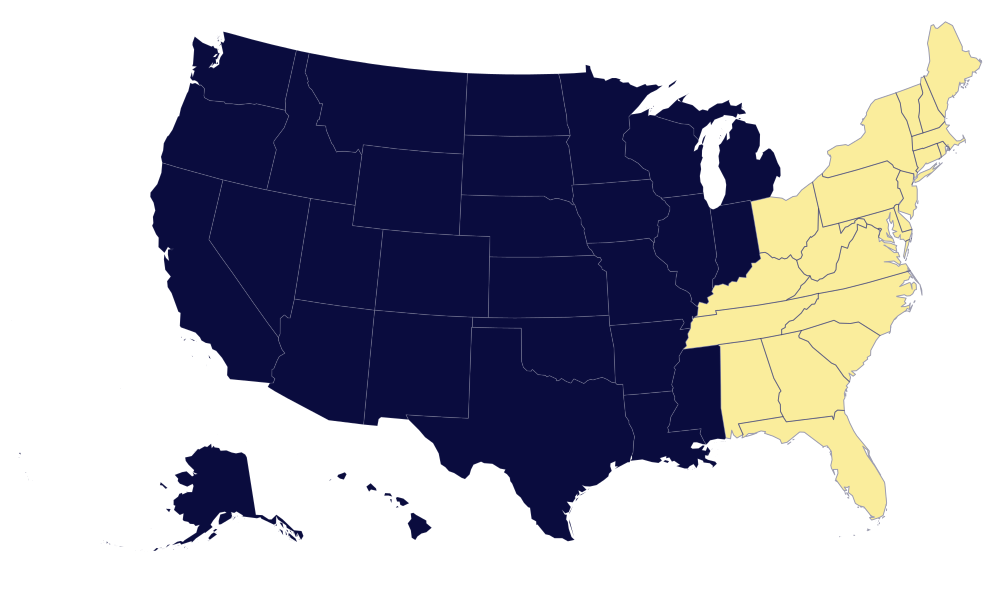
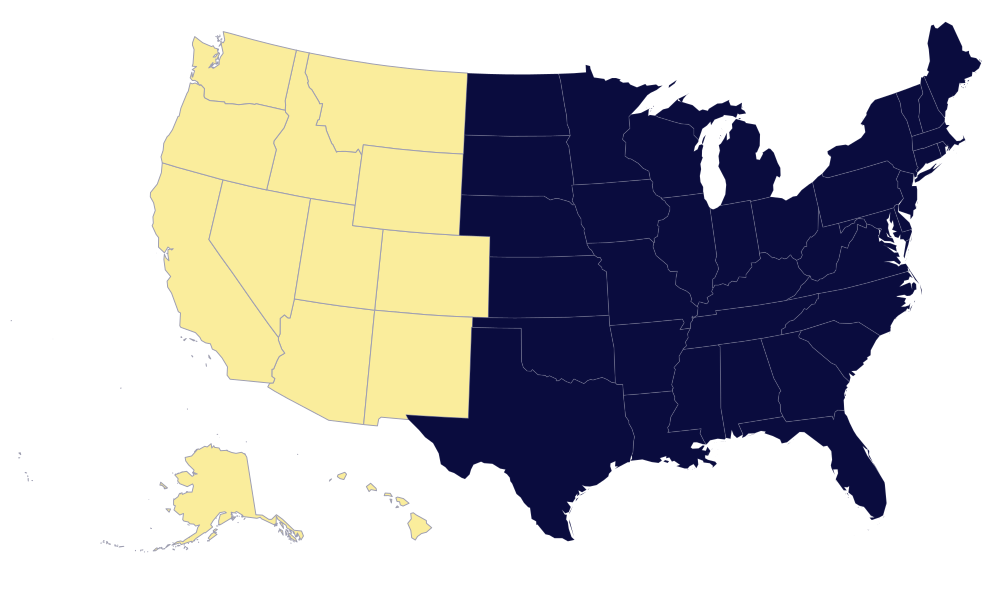
AVLS operate and has proven pool of AV technicians in major cities US Nationwide, such as Las Vegas, Los Angeles, Orlando, Dallas, San Antonio, Austin, Houston, Washington DC, Atlanta, New Orleans, Tennessee and more.
Please complete the form below and we will respond to you as soon as possible. We are available 24 hours a day to assist with your needs. We look forward to showing you what we can do toward the success of your next event.
EVENT INFORMATION
